Forms in.
Reports out.
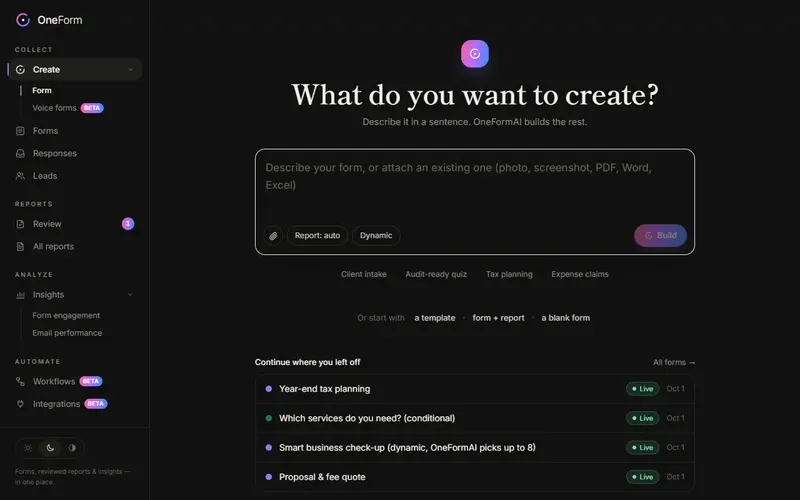
Tax checkups and client intake that turn into reviewed planning reports, paid assessments and booked calls. Describe your form and OneFormAI builds it.
Connects to the tools you already use
 AI agents (MCP)
 Slack
Slack Discord
 Microsoft Teams
 Google Chat
 Google Sheets
 Google Drive
 Microsoft Excel
 OneDrive
 HubSpot
 Pipedrive
 Salesforce
 Zoho CRM
 Stripe
 Calendly
 Cal.com
 Google Calendar & Meet
 Microsoft Bookings
 Zoom
Zoom TidyCal
Clients want advice before the decision.
Proactive tax planning is the work clients value most, and the hardest to scale: every engagement starts with hours of questions and write-up. OneForm runs that part, so each advisor can serve more clients.
- Organizer PDFs emailed back and forthOne question per screen, finished on a phone, typed or spoken
- Someone reads every answer and writes it upA drafted report for every response, in your firm's voice
- Planning advice given away on a free callPaid assessments and paid calls, right on the thank-you screen
- Leads that go cold in an inboxEvery lead scored, with a nudge when a report goes unopened
A checkup for every moment that matters.
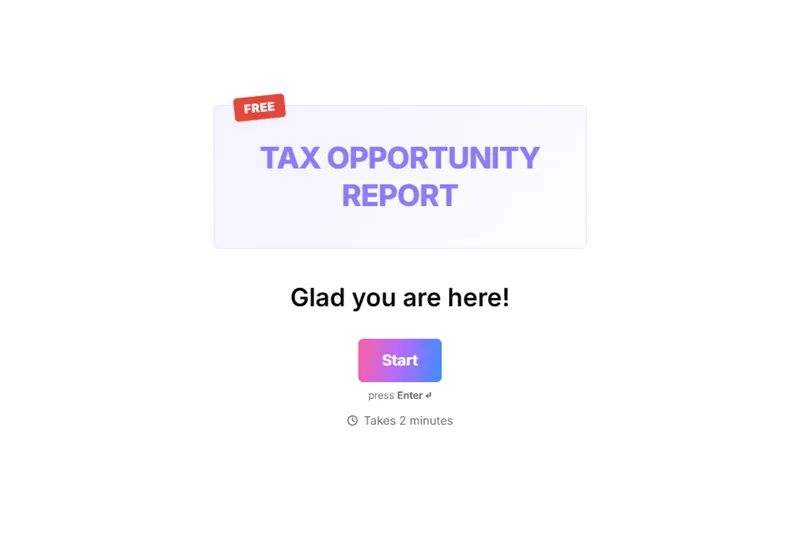
10 ready-made tax checkups, each with its report built in. Send one as is, make it yours, or describe your own.
Better questions in. Better advice out.
One place for the whole client questionnaire: asking it, writing it up, and following through to a plan you'd sign.
Ask the right questions, typed or spoken
- 01One form, two ways to answer: tap through it or just talk
- 02Logic that skips, branches, scores and calculates
- 03Share a link or embed it on your site in one paste
Turn the assessment into revenue.
One sentence sets it up. Payments go straight to your own Stripe account, and OneForm takes no cut.
Your AI assistant, working in OneForm.
Connect Claude, ChatGPT, Cursor or any AI tool that speaks MCP. Ask it to build a form, find a client's answers, or draft tonight's reports. It works as you, inside your firm, with only what you allow.
- 65 tools across forms, responses, reports, leads, workflows, bookings and insights.
- Sign in with OneForm in a click. No keys to copy, and you choose what it may do.
- Anything that reaches a client waits for your OK first.
- Coding? It can drop your form into the website you're building.
 Claude
 ChatGPT
 Cursor
 VS Code
 Codex
Codex Gemini CLI
 Windsurf
 GitHub Copilot
 Le Chat
 Zed
Zed JetBrains AI
 n8n
n8n Copilot Studio
 Any MCP client
Less admin. More advice.
Reviewed, never raw
Nothing reaches a client until someone on your team approves it.
Voice forms
Clients talk. OneFormAI fills in the answers and follows your logic.
Lead scoring
Fit plus intent, so the people ready to talk rise to the top.
English, French and Spanish
Clients switch language inside the form, and OneFormAI translates it for you.
Ready for TaxDome
Download leads in the format TaxDome's client import expects.
One-click integrations
Google, Slack, HubSpot, Stripe and more. Sign in and connect, no API keys.

Every great client relationship starts with the first conversation.
What you ask up front shapes the advice you can give, the fee you can charge and whether the client comes back. OneForm makes that first conversation count, then turns it into a report your firm can stand behind.
Brian Davis, CPA, CFE · Founder & CEO
Brian is a practicing accountant and a CPA Practice Advisor 40 Under 40 honoree. He runs his own tax advisory firm on OneForm and 10Key, his tax planning software for CPA firms. He sees tools like these as a must for the next generation of accounting firms.
Our story →Questions, answered.
What is OneForm?
OneForm is an AI form builder for CPA firms, tax advisors, financial advisors and professional practices that turns every form response into a reviewed, client-ready report — with tax checkups, paid reports, booking and lead scoring built in.
How does OneForm turn a form into a report?
Each response goes to OneFormAI with your instructions. It drafts the report or document, someone on your team edits and approves it, and OneForm emails it to the client as a branded PDF — straight away or on a schedule.
Who is OneForm for?
CPA firms and tax advisors moving from compliance to proactive planning, plus bookkeepers, financial advisors and other practices that run on client questionnaires: intake, tax organizers, planning, proposals and engagement letters.
Which tax checkups come with OneForm?
Ten, each with its report built in: Tax Opportunity Report, Business Owner, S Corporation, Should I Be an S Corporation?, Real Estate Investor, Short-Term Rental, Year-End Tax Planning, Retirement & Roth, Investment & Capital Gains, and Family, Children & Education. Use one as is, edit it, or describe your own form.
Can I build a form from a PDF or a screenshot?
Yes. Attach a PDF, photo, screenshot, Word, Excel or PowerPoint file and OneFormAI turns it into an editable form, including choices and logic.
Can clients pay for their report or book a call?
Yes. Put a price on the report and clients pay with Stripe on the thank-you screen; you keep the full price, minus Stripe's processing fee. They can also book a call there with OneForm's own booking pages, free or paid, synced to your Google Calendar with a Meet link. Prefer Calendly, Cal.com or Microsoft Bookings? Show that instead, with their details filled in.
Can I use OneForm from Claude, ChatGPT or Cursor?
Yes. OneForm has an MCP server at app.oneform.si/mcp. Connect Claude, ChatGPT, Cursor, VS Code, Codex or any MCP client, sign in with OneForm, and choose what it may do. It can build forms, look up responses and draft reports; anything that reaches a client waits for your OK. AI agents are on Basic and up.
Who builds OneForm?
OneForm is built by Brian Davis, CPA, CFE, its founder and CEO. He is a practicing accountant and a CPA Practice Advisor 40 Under 40 honoree who started his own firm in 2017 and leads One Stop CPA, a virtual tax advisory practice that runs on OneForm. He also created 10Key, interactive tax planning tools for advisors. He built OneForm because asking clients the right questions and turning the answers into a report took too many tools stitched together.
Is OneForm a Typeform alternative?
Yes. OneForm shows one question at a time, with logic, scoring, themes and embeds — and it's built for firms, so every response also becomes a reviewed, client-ready report.
Good advice starts with good questions.
Create your firm in a minute and send your first form today.