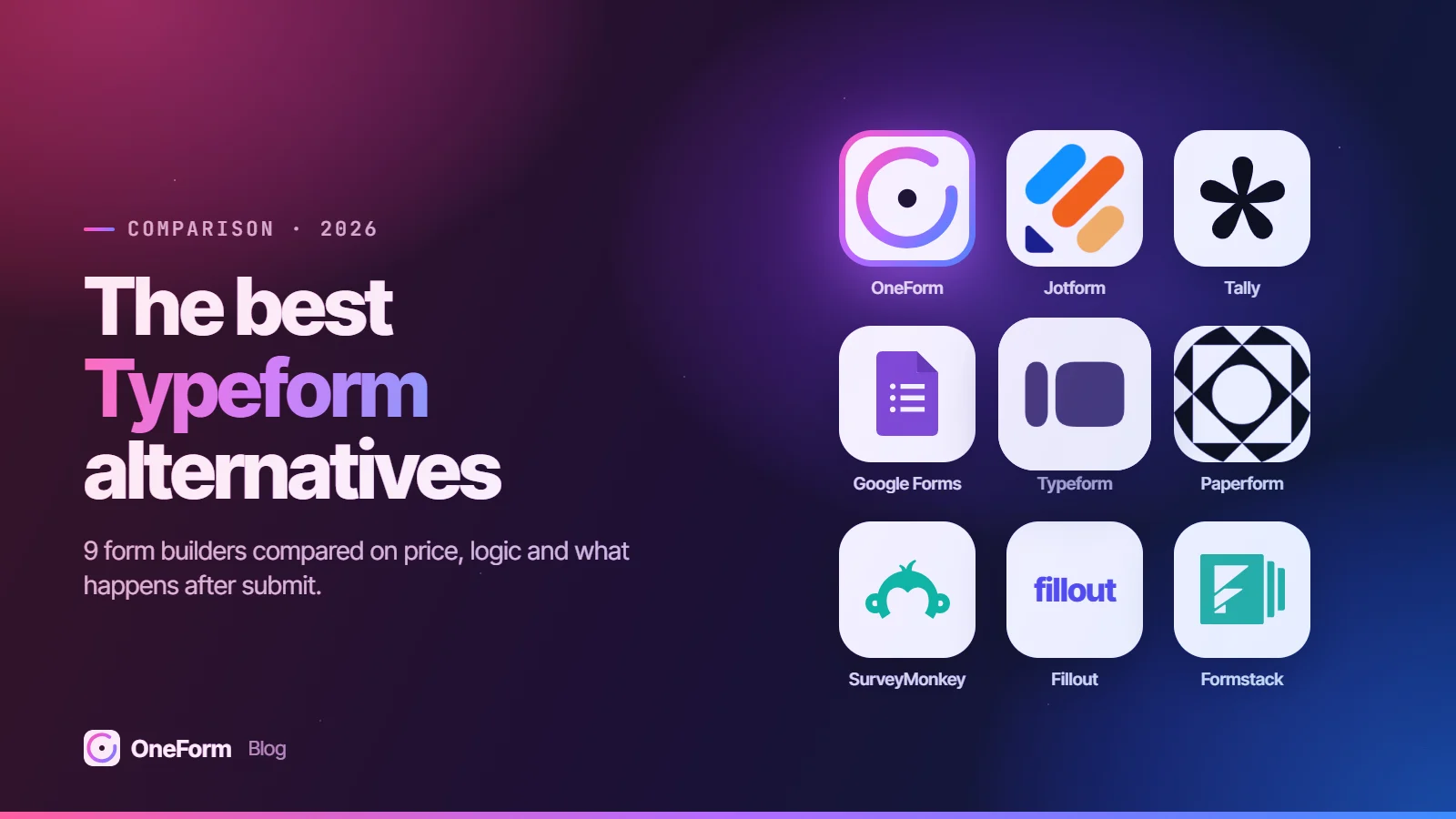

An AI form builder creates a form from a prompt or an existing file, and some also use AI inside the form, on responses or to write something from each response. As of October 2026, OneForm is the pick for accounting firms and advisors, with AI-drafted, human-reviewed reports; Typeform and Jotform offer the deepest general AI, Tally the best free AI, and Google and Microsoft Forms the best suite add-ons.
We make OneForm, one of the tools on this list. We've tried to be fair: every competitor detail below comes from the vendor's own pricing, product or help pages, checked in October 2026, and each tool's section says who it's best for.
Try OneForm free. Describe a form in one sentence or upload a PDF you already use, and OneFormAI builds it, then drafts a report from each response for you to review. Start free, no card needed.
Key takeaways
- OneForm is the only tool here built around AI that drafts a written report from each response and holds it for a person to approve before it's sent.
- "AI form builder" covers five different things: prompt-to-form, file-to-form, AI the respondent sees, AI analysis of responses, and AI-written output from each response.
- Creating a draft form from a prompt is now common; Jotform, Tally and Fillout all say their AI form builder is free to use, as of October 2026.
- Google Forms' Gemini features need an eligible Google Workspace or Google AI plan, and Copilot in Microsoft Forms needs a Copilot license.
- AI drafts still need checking: Formstack's help center says AI-generated forms aren't complete or fully functional without further review.
What is an AI form builder?
An AI form builder is a form tool that uses a large language model to do work you'd otherwise do by hand, most often turning a plain-language description into a draft form with questions, answer options and logic. The term now covers five distinct jobs, and most tools only do two or three of them.
- Prompt to form: you describe the form ("a new-client intake form for a bookkeeping firm") and the AI drafts the questions, types and structure.
- File to form: the AI rebuilds an existing PDF, Word file, spreadsheet, image or web page as an online form.
- AI for respondents: the form itself uses AI while people fill it in, such as follow-up questions, answering questions, or reading an ID photo.
- AI on responses: the AI summarizes open-text answers, finds themes or answers questions about your data.
- AI-written output: the AI writes something new from each response, such as a report or recommendation for that person.
The first two save build time. The last three change what the form does for you after it's live, which is usually where the value is.
The best AI form builders at a glance
Prices are the lowest paid plan on each vendor's pricing page in October 2026, in US dollars before tax.
| Tool | Best for | Free plan | Paid plans from | Standout AI feature |
|---|---|---|---|---|
| OneForm | Accounting firms and advisors: AI-written reports from each response | Yes: 3 live forms, 50 responses, 50 OneAI Tokens/mo | $19/mo (Basic) | AI-drafted, human-reviewed client report |
| Typeform | AI across building, asking and analysis | Yes, limited responses | $28/mo billed yearly (Basic) | Clarify with AI follow-up questions |
| Jotform | The widest range of AI inputs | Yes: 5 forms, 100 submissions/mo | $34/mo billed yearly (Bronze) | Forms from documents, images or URLs; AI Agents |
| Tally | Free AI with no upgrade | Yes: unlimited forms and submissions (fair use) | $24/mo billed yearly (Pro) | Edits and fixes forms on request |
| Fillout | AI editing of existing forms | Yes: 1,000 responses/mo | $15/mo billed annually (Starter) | Form Agent builds logic and calculations |
| Google Forms | Google Workspace teams | Yes (Gemini needs an eligible plan) | Part of Google Workspace | Forms from Drive files; response summaries |
| Microsoft Forms | Microsoft 365 Copilot users | Yes (Copilot needs a license) | Included with Microsoft 365 plans | Drafts, rewrites and result summaries |
| Zoho Forms | Converting paper, PDF and image forms | Yes: 3 forms, 500 submissions/mo | $10/mo billed yearly (Basic) | PDF and Images to Form; Smart Scan |
| Formstack | Teams that also need document generation | No; 14-day trial | $83/mo paid annually (Forms) | AI Form Creation, admin-controlled |
What each tool's AI covers
"Not listed" means we didn't find it on the vendor's own pages in October 2026, not that it can't be done another way.
| Tool | Prompt to form | File to form | AI for respondents | AI on responses | AI-written output per response |
|---|---|---|---|---|---|
| OneForm | Yes | PDF, Word, Excel, photos | Voice forms | Not the focus | Yes, reviewed before sending |
| Typeform | Yes | PDF, Word, spreadsheets, slides, text | Clarify with AI, FAQ with AI | Smart Insights | Not listed |
| Jotform | Yes | Documents, CSV or Excel, images, web pages | AI Agents (chat, voice) | Through its Claude and ChatGPT apps | Not listed |
| Tally | Yes | Not listed (branding from a URL, logo or screenshot) | Not listed | Through its ChatGPT app and MCP server | Not listed |
| Fillout | Yes | PDF, existing Google Form | Not listed | Not listed | Not listed |
| Google Forms | Yes, eligible plans | Docs, Sheets, Slides, PDFs in Drive | Not listed | Summaries and themes of text answers | Not listed |
| Microsoft Forms | Yes, Copilot license | Word, PowerPoint, Excel (Copilot app) | Not listed | Summary of key findings | Not listed |
| Zoho Forms | Yes | One PDF, up to five images | Smart Scan autofill | Not listed | Not listed |
| Formstack | Yes, admin enables | Not listed | Not listed | Not listed | Not listed for forms |
How we chose
We included tools whose own pages describe AI form creation and compared what the AI does at each of the five stages, plus pricing, logic and data handling. We didn't run prompt tests or score outputs; every claim links to its vendor page.
1. OneForm: best for accounting firms and advisors that send a report from each response
OneForm is built for accounting firms and financial advisors, and its AI does a job the general builders don't list: it drafts a written report for each person who answers, following the firm's own instructions, and holds it for review.
What stands out
- OneFormAI builds a form from one sentence or from an existing PDF, Word or Excel file or a photo, with conditional logic, scores and multiple endings.
- Firm templates such as the Tax Opportunity Report, and leads scored by fit (answers) and intent (opens, clicks, return visits).
- AI-drafted reports: the firm edits and approves each one, then sends it as a branded PDF now or on a schedule. Nothing goes out unreviewed unless the firm turns on auto-send.
- Voice forms let clients answer by talking; the transcript shows on screen and recordings aren't kept.
Things to know
- OneForm is narrower than the big builders, with fewer templates and integrations than Jotform or Typeform, and no e-signatures, product payment forms or document portal.
- AI calls are made with data storage turned off at the AI provider (
store: false), and firms review every draft.
Pricing
Free Forever includes 3 live forms, 50 responses and 50 OneAI Tokens a month. Basic is $19 a month ($190 a year); voice forms and auto-send are on Pro at $49 a month.
2. Typeform: best for AI across building, asking and analysis
Typeform uses AI at more stages than most: a chat assistant that builds forms and branching, question types that use AI with respondents, and AI analysis of results.
What stands out
- Typeform AI creates, edits and reorders questions, endings and branching rules, and can work from uploaded PDF, Word, spreadsheet, slide and text files.
- Clarify with AI asks up to two personalized follow-up questions after an open-text answer; FAQ with AI answers respondents' questions from a knowledge base you define.
- Smart Insights turns response data into AI summaries and charts.
Things to know
- File uploads to Typeform AI are limited to 1 file per billing month on the Free plan; connectors to other apps start on Business.
- Typeform's help article notes some requests, such as custom form design, aren't supported by Typeform AI yet.
Pricing
As of October 2026, Typeform lists Basic at $28 a month billed yearly ($39 monthly, 100 responses), Plus at $56 and Business at $91. Smart Insights is listed on the Growth Flow plan card.
3. Jotform: best for the widest range of AI inputs
Jotform's AI starts from more kinds of material than any other tool here and extends past the form into AI agents.
What stands out
- The AI Form Generator builds a form from a prompt and edits content and design by chat.
- Create forms from documents: upload a document, a CSV or Excel file, or an image, or paste a web page URL.
- AI Agents answer questions and guide people through forms, can run on messaging channels such as WhatsApp and Messenger, and can handle spoken calls.
- Jotform's Claude app summarizes submissions and finds trends and sentiment.
Things to know
- Jotform says the AI Form Generator is free, with form limits set by your plan; the free plan allows 5 forms and 100 submissions a month.
Pricing
As of October 2026, Jotform lists Bronze at $34 a month billed yearly ($39 monthly), Silver at $39 ($49) and Gold at $99 ($129), with AI agent and conversation limits that rise by plan.
4. Tally: best free AI form builder
Tally builds AI into its editor at no cost, on top of a free plan with unlimited forms and submissions within fair use.
What stands out
- Tally AI generates forms from a description and edits, troubleshoots and brands existing ones; Tally says it's free for all users.
- Tally's guide says the AI can set up logic, formulas, notifications, redirects and open and close dates.
- A ChatGPT app and MCP server let ChatGPT, Claude and other assistants create forms and analyze submissions.
Things to know
- Tally AI can't set up third-party integrations, publish forms or read responses.
Pricing
As of October 2026, Tally Pro is $24 a month billed yearly ($29 monthly) and Business $74 billed yearly ($89 monthly).
5. Fillout: best for AI editing of existing forms
Fillout's Form Agent works on forms you already have as well as new ones, including logic and calculations.
What stands out
- The AI form builder starts from a description, a list of questions, a PDF or an existing Google Form, and is free to use.
- Form Agent adds and edits fields and pages, routes respondents by their answers, and creates calculations.
- AI can generate a form theme from an image of your brand.
Things to know
- Form Agent doesn't yet handle payments, calendars, integrations or form-level settings.
- Each message uses credits shared with Fillout's Zite app, and messages are capped at 4,000 characters.
Pricing
As of October 2026, Fillout lists Starter at $15 a month billed annually, Pro at $40 and Business at $75; the free plan includes 1,000 responses a month.
6. Google Forms with Gemini: best for Google Workspace teams
Gemini adds two AI features to Google Forms: drafting a form and summarizing what people wrote.
What stands out
- "Help me create a form" drafts a form or a graded quiz from a prompt, or from Google Docs, Sheets, Slides and PDFs in Drive.
- Response summaries cover open-text questions once a form has 3 to 200 responses, and Gemini can group answers into themes in Sheets.
Things to know
- Both need an eligible Google Workspace or Google AI plan; form creation is desktop only and rolling out gradually.
- It can't yet create multi-section forms or edit an existing form; generating replaces the current form.
Pricing
As of October 2026, Google's Forms plan table lists a free personal option and Workspace Business Standard at $12 per user a month with a one-year commitment.
7. Microsoft Forms with Copilot: best for Microsoft 365 Copilot users
Copilot drafts and refines forms and summarizes results for organizations already paying for it.
What stands out
- Copilot in Forms drafts a full survey, rewrites and adds questions, writes quiz answer explanations, and summarizes key findings.
- The Microsoft 365 Copilot app can base a new form on a Word, PowerPoint or Excel file.
Things to know
- Copilot in Forms needs a Microsoft 365 account and a Copilot license; the chat experience is for commercial Copilot-licensed users.
- Free personal accounts are limited to 200 responses per form, per Microsoft's limits page.
Pricing
As of October 2026, Microsoft Forms comes with a Microsoft account or eligible Microsoft 365 plan, per Microsoft; Copilot is licensed separately.
8. Zoho Forms: best for converting paper, PDF and image forms
Zoho Forms' AI, Zia, is strongest at turning existing paper and PDF forms into online ones, and it includes AI features on the free plan.
What stands out
- AI Forms drafts a form from a description that you can revise and regenerate; PDF to Form converts one PDF up to 10 MB.
- Images to Form turns up to five photos or screenshots of paper forms into one editable form.
- Smart Scan reads an uploaded ID or document photo and fills the mapped fields for the respondent to check.
Things to know
- Smart Scan uses AI credits: 50 on the free plan, per Zoho.
- Admins can turn the AI Assistant on or off for the whole organization.
Pricing
As of October 2026, Zoho Forms lists Basic at $10 a month billed yearly ($12 monthly) with 10,000 submissions a month; the free plan has 1 user, 3 forms and 500 submissions a month.
9. Formstack: best for teams that also need document generation
Formstack added prompt-based form creation to a platform built around forms, documents and e-signatures for larger organizations.
What stands out
- AI Form Creation drafts a form from a prompt; an org admin turns it on.
- Formstack says it uses Anthropic's Claude in its AWS Bedrock environment and doesn't train AI on the forms you create.
- Its Documents product, part of the Suite plan, is described as AI-powered document generation.
Things to know
- The AI can't pull in images or logos or set up integrations yet.
- There's no free plan; the Forms product has a 14-day free trial.
Pricing
As of October 2026, Formstack lists Forms from $83 a month paid annually ($99 monthly) and Suite from $250 a month paid annually.
Also worth a look
Paperform describes AI form creation that asks a few questions before drafting, AI calculations, AI Insights on submissions, and an AI workflow builder; its pricing page puts form creation on all plans and report insights on Pro and up. Cognito Forms generates a form plus a workflow diagram from a prompt, and offers a connector for Claude and ChatGPT on paid plans.
Does the AI use your data for training?
For forms that collect client financial details, this matters as much as features. Here is what the vendors' own pages say.
| Tool | What its pages say |
|---|---|
| OneForm | AI calls are made with data storage turned off at the provider (store: false); every draft is reviewed. |
| Tally | Forms and submissions are never used to train AI models. |
| Formstack | Uses Claude in AWS Bedrock; doesn't train AI on the forms you create. |
| Jotform | Standard AI Agents use OpenAI GPT-4; healthcare-compliant AI accounts use Google Gemini through Vertex AI. |
| Others above | Not covered on the pages we checked; ask the vendor or read its AI and privacy terms. |
For tax practices there's also a separate question of client consent before tax return information goes to any outside service. Our article on AI in tax practice and Section 7216 covers it.
Which one should you choose?
- You're an accounting firm or advisor and want each response to become a reviewed, client-ready report: OneForm. Try a Tax Opportunity Report template to see a drafted report.
- You want AI at every stage, including follow-up questions and result summaries: Typeform.
- You start from documents, spreadsheets, images or web pages: Jotform; for paper forms specifically, Zoho Forms.
- You want capable AI without paying: Tally, or Fillout if you'll edit existing forms with AI.
- Your team lives in Google Workspace or Microsoft 365 and already pays for Gemini or Copilot: Google Forms or Microsoft Forms.
- You need forms, documents and signatures for a larger organization: Formstack.
How to test an AI form builder before you commit
- Describe your current intake or lead form in one paragraph and give that same prompt to two or three tools.
- Check the logic the AI built: does each branch go where it should, and are required fields marked?
- Upload a PDF or spreadsheet you already use and see what the conversion keeps and drops.
- Read the vendor's list of what its AI can't do yet.
- Check free-plan AI limits: credits, file uploads and which tier unlocks the feature.
- Submit test responses and see what happens next: summaries, notifications, PDFs or a written output.
For a broader comparison that weighs non-AI features too, see our best online form builders roundup.
Get started with OneForm. Give OneFormAI the same one-paragraph prompt you'd test elsewhere, or upload your current intake PDF, then submit a test response and read the report it drafts before deciding. The Free Forever plan includes AI form building and 50 OneAI Tokens a month. Start free.
Frequently asked questions
What is the best AI form builder?
It depends on where you want the AI to help. As of October 2026, OneForm is the best fit for accounting firms and advisors, because it drafts a reviewed report from each response. Typeform uses AI across building, follow-up questions and result analysis; Jotform builds from the widest range of inputs; and Tally offers capable AI free on every plan. Google Forms and Microsoft Forms suit teams already paying for Gemini or Copilot.
Is there a free AI form builder?
Yes. As of October 2026, Tally says Tally AI is free on all plans, including Free, and Jotform and Fillout both say their AI form builders are free to use, within each plan's form and response limits. Zoho Forms includes AI Forms, PDF to Form and Images to Form on its free plan. OneForm's free plan includes AI form building and 50 OneAI Tokens a month.
Can AI create a form from a PDF?
Yes, several tools do this. Typeform AI accepts PDFs, Word files, spreadsheets and slides. Fillout, Zoho Forms and OneForm convert PDFs into online forms, and Jotform turns documents, spreadsheets and images into forms. Google Forms can use PDFs in Drive with Gemini on eligible plans. Always check the result, because conversions can miss fields, logic or validation rules.
Does Google Forms have an AI form builder?
Yes. Google's help center describes "Help me create a form," which uses Gemini to draft a form or graded quiz from a prompt or from Docs, Sheets, Slides and PDFs in Drive. It needs an eligible Google Workspace or Google AI plan and works on desktop. As of October 2026, it can't create multi-section forms or edit an existing form.
Can ChatGPT or Claude build a form?
On their own, they can draft questions but don't host a live form. Several form tools connect to them, though: Tally offers a ChatGPT app and an MCP server for Claude and other assistants, Jotform has a Claude app for analyzing submissions, and Cognito Forms offers a connector for Claude and ChatGPT. The form itself still lives in the form builder.
Are AI-generated forms ready to publish?
Not without review. Formstack's help center says AI-generated forms aren't complete or fully functional without further review, and Cognito Forms and Typeform also describe AI drafts as suggestions you check and apply. Test the logic, required fields, wording and notifications before sharing a form with clients, and review any AI-written output before it reaches them.
This comparison reflects each vendor's published pricing, plans and features as of October 2026. Prices and plan limits change often, so check the vendor's own pricing page before you buy. Typeform, Jotform, Tally, Fillout, Google Forms, Gemini, Microsoft Forms, Copilot, Zoho Forms, Formstack, Paperform, Cognito Forms, ChatGPT, Claude and other product names are trademarks of their respective owners; OneForm isn't affiliated with them.