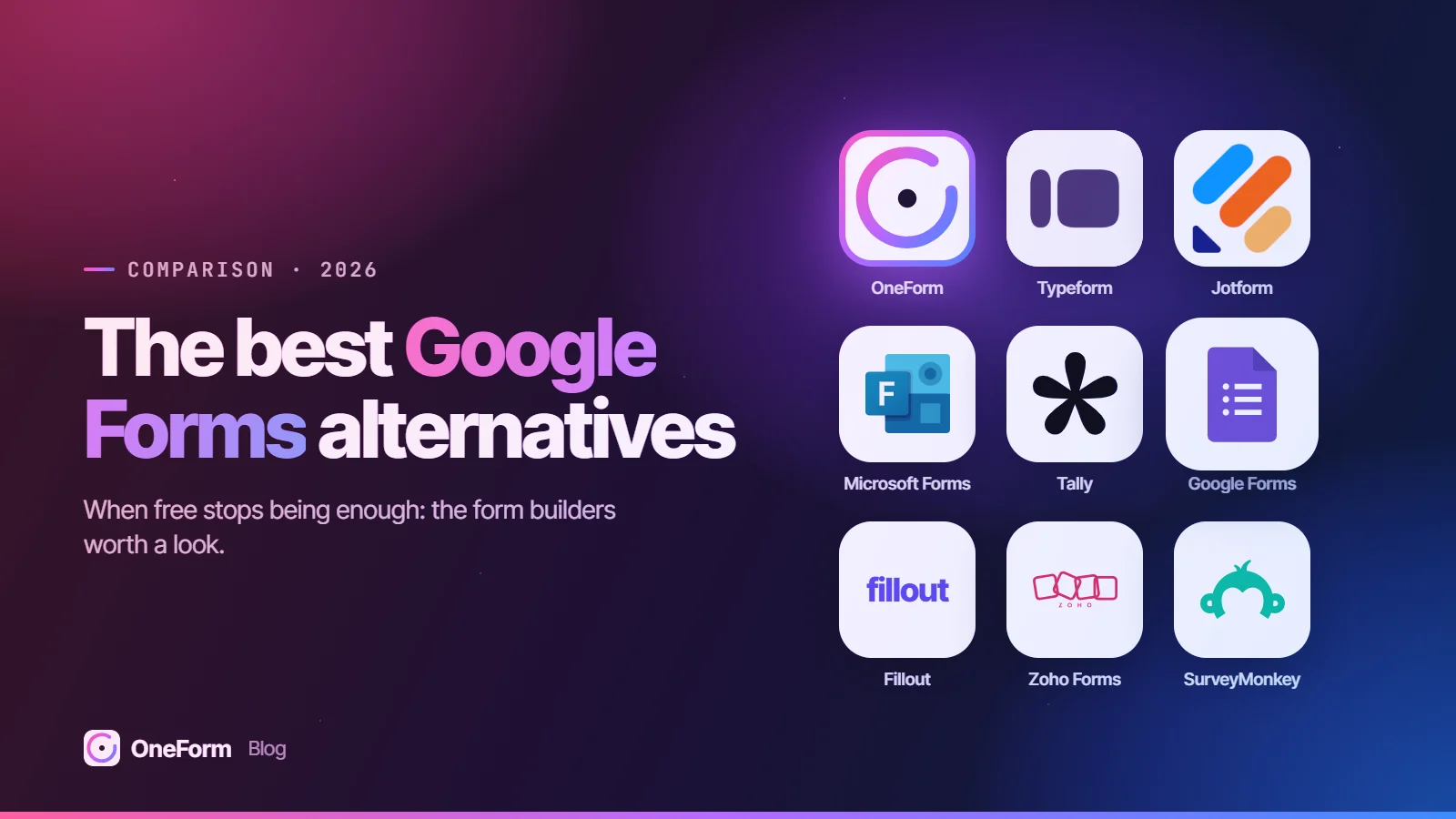
The best Google Forms alternatives in 2026 start with OneForm for accounting firms and advisors that turn each response into a reviewed client report instead of a row in a Sheet. For other needs, Microsoft Forms suits teams on Microsoft 365, Tally a free upgrade with more design control, Typeform conversational forms, Jotform templates, payments and signatures, and Fillout forms that feed a database or CRM.
We make OneForm, one of the tools on this list. We've tried to be fair: every competitor detail below comes from the vendor's own pricing, product or help pages, checked in October 2026, and each tool's section says who it's best for.
Try OneForm free. Attach a screenshot of your Google Form and OneFormAI rebuilds it in minutes, then every response becomes a report you review and send, not just a row in a Sheet. Start free, no card needed.
Key takeaways
- For accounting firms and advisors, OneForm is the pick: where a general form builder stops at the spreadsheet, OneForm drafts a report from each response for your team to review and send. It shows one question at a time, can rebuild an existing Google Form from a screenshot, and its Free Forever plan includes 3 live forms and 50 responses a month.
- Google Forms comes with a Google Account, and the Google help pages we checked in October 2026 don't list a cap on forms or responses. Responses can flow into a Google Sheet, which holds up to 20 million cells.
- Its limits for business use are specific: file-upload questions require respondents to sign in to a Google Account, and Google's Forms pages don't list payment collection or per-response documents.
- Tally is the closest free step up, with unlimited forms and submissions within fair use, plus logic, payments and file uploads on its free plan.
- Microsoft Forms is free with a personal Microsoft account but caps those forms at 200 responses each; work and school accounts allow up to 5,000,000 responses per form.
The best Google Forms alternatives at a glance
Prices are the lowest paid plan on each vendor's own pricing page as of October 2026, in US dollars, with the billing period noted.
| Tool | Best for | Free plan | Paid plans from | Standout feature |
|---|---|---|---|---|
| OneForm | Accounting firms and advisors that send a report from form answers | Yes, 3 live forms and 50 responses a month | $19/mo billed monthly ($190 a year) | AI-drafted report, reviewed before it's sent |
| Microsoft Forms | Teams already on Microsoft 365 | Yes, with a Microsoft account (200 responses per form) | Included with Microsoft 365 work and school accounts | Results open in Excel with a live connection |
| Tally | A free upgrade with more control | Yes, unlimited forms and submissions (fair use) | $24/mo (Pro) | Editor that works like a text document |
| Typeform | Conversational lead and survey forms | Yes, 10 responses a month | $28/mo billed yearly ($39 billed monthly) | One question at a time; imports Google Forms |
| Jotform | Templates, payments and e-signatures | Yes, 5 forms and 100 submissions a month | $34/mo billed annually ($39 billed monthly) | 20,000+ templates |
| Fillout | Forms that feed Airtable, Notion or a CRM | Yes, 1,000 responses a month | $15/mo billed annually | Creates and updates records in connected tools |
| Zoho Forms | Offline mobile collection and Zoho users | Yes, 3 forms and 500 submissions a month | $10/mo billed annually ($12 billed monthly) | Offline data collection in a mobile app |
| SurveyMonkey | Survey research and analysis | Yes, up to 10 questions per survey | Shown by region on its pricing page | AI and thematic analysis on team plans |
What does Google Forms do well?
Before switching, be clear about what you'd give up. Google Forms is a genuinely good default, and for many internal and low-stakes forms it's the right tool.
- Cost. Forms comes with a Google Account, and Google's free Workspace Essentials Starter tier lists Forms among apps "available at no cost," per its Essentials page. Each Google Account includes up to 15 GB of storage shared across Gmail, Drive and Photos, per Google's storage help.
- No published response cap. The Google help pages we checked don't list a limit on forms or responses. If you link a Sheet, Google's Drive help puts the ceiling at 20 million cells per spreadsheet.
- Sheets integration. Responses can be stored in a Google Sheet, per Google's help center, and the Forms product page shows automated charts updating in real time.
- Logic, quizzes and collaboration. Questions can show based on earlier answers, forms can be quizzes, and collaborators can edit and analyze together.
- Saved progress. Respondents signed in to a Google Account have their progress saved as a draft for 30 days, per the product page.
- AI form creation. With an eligible Workspace or Google AI plan, "Help me create a form" builds a form from a prompt or from Drive files such as Docs, Sheets, Slides and PDFs, per Google's Gemini help.
Where does Google Forms fall short for business use?
The gaps show up when forms face clients rather than colleagues, or when something has to happen after the response lands.
- File uploads need a Google sign-in. Respondents must sign in to a Google Account to answer a file-upload question, and the question type isn't available if the form is stored in a shared drive, per Google's help center.
- One response per person needs a sign-in too. "Limit to 1 response" requires respondents to sign in, per Google's publishing help.
- Payments and documents aren't listed. Google's Forms pages don't list payment collection, per-response PDFs or written reports.
- Branding is basic. Customization covers colors, images and fonts, per the product page.
- AI creation has limits. Gemini can't yet build multi-section forms, and regenerating replaces the current form.
How we chose
We picked tools that a small business or professional firm could adopt without a developer, and judged them on form types (classic pages or one question at a time), logic, free-plan limits and first paid tier, what happens after submit, what each vendor states about data handling, and how fast a non-technical person can publish. We didn't run benchmarks or score the tools; every fact below comes from the vendor's own site and is linked.
1. OneForm: best for accounting firms and advisors that send a report from every response
OneForm is ours. It's built for accounting firms and financial advisors whose forms are the start of advice: a tax planning questionnaire, a year-end checkup or a lead magnet. "Forms in. Reports out." Where Google Forms ends with a row in a Sheet, OneForm ends with a written report your team approves.
What stands out
- A report from every response, reviewed before it's sent. Each response can produce an AI-drafted report written from your firm's own instructions. Your team edits and approves it, then OneForm emails it as a branded PDF now or on a schedule, with opens and clicks shown. Nothing goes out unreviewed unless you turn on auto-send. See how reports work.
- One question at a time, with conditional logic, scores and multiple endings.
- Rebuild your Google Form in minutes. Attach a screenshot or PDF of an existing form and OneFormAI rebuilds it, or describe a new form in one sentence.
- Firm templates ready to use, such as the Tax Opportunity Report and the Year-End Tax Planning Checkup.
- Lead scoring by fit and intent, with hot-lead alerts and sync to HubSpot, Pipedrive, Salesforce or Zoho on Pro. See leads.
- Booking pages and paid reports through the firm's own Stripe account, on every plan including Free.
- Voice forms on Pro and up: clients answer by talking, the transcript shows on screen, and recordings aren't kept.
- Embeds on your website (inline, popup or button) from Basic up, and workflows that can still log each response to Google Sheets.
Things to know
- OneForm is newer and narrower than Google Forms or Jotform: it is built for firms, not every form use case, and has fewer templates and integrations.
- It doesn't do file uploads, e-signatures, payment forms for selling products, or a client portal for documents. Keep a portal or e-signature tool for those.
Pricing
As of October 2026, OneForm's pricing is Free Forever at $0 (1 team member, 3 live forms, 50 responses a month), Basic at $19 a month or $190 a year (unlimited live forms, 300 responses a month), Pro at $49 a month or $490 a year (3 team members, 1,500 responses) and Firm at $149 a month or $1,490 a year (5 team members, 5,000 responses), in US dollars before tax. Our Google Forms alternative page compares the two directly, or you can start free without a card.
2. Microsoft Forms: best for teams already on Microsoft 365
Microsoft Forms is the like-for-like swap: simple, fast, and built into the account your team already has if you run on Microsoft 365. It's the natural choice when results need to land in Excel and OneDrive rather than Sheets and Drive.
What stands out
- "Open results in Excel" creates a workbook with a live data connection to the form, stored in OneDrive for work or school, per Microsoft's results help.
- Branching that shows or skips questions and whole sections based on answers, per Microsoft's branching help.
- High ceilings on work and school accounts: up to 400 forms per user, 200 questions per form and 5,000,000 responses per form, per Microsoft's limits page.
Things to know
- Personal Microsoft accounts are capped at 200 responses per form on free accounts and 1,000 on paid accounts.
- File-upload questions only work when responses are limited to people in your organization, per Microsoft's upload help, so they won't collect files from outside clients.
- Branches can only go forward to a later question.
Pricing
As of October 2026, Microsoft Forms is available free with a personal Microsoft account and is included with Microsoft 365 work and school accounts, per Microsoft's limits page.
3. Tally: best free upgrade from Google Forms
Tally keeps the price of Google Forms (free) while adding things Google's Forms pages don't list, such as payments, and puts file uploads on the free plan. You build by typing on a page, so it feels as quick as Google Forms.
What stands out
- Unlimited forms and submissions on the free plan, within Tally's fair-use guidelines.
- Conditional logic, calculations, payments and file uploads listed as free features.
- Integrations that send submissions to Google Sheets, Notion and Airtable, per Tally's home page.
Things to know
- Free file uploads are limited to 10 MB per file.
- Removing Tally branding, custom domains, partial submissions and drop-off analytics require Pro.
Pricing
As of October 2026, Tally lists Pro at $24 a month and Business at $74 a month, with yearly billing described as "2 months off."
4. Typeform: best for conversational forms
Typeform shows one question at a time with a polished, branded look. It suits lead forms, quizzes and customer surveys where completion rate and first impression matter.
What stands out
- Logic with branching, calculations, scores and multiple endings, available even on the free plan, per Typeform's Free plan help article.
- An import from Google Forms, listed in the same article, which makes trying it low-effort.
- Stripe payment questions, a signature question, file uploads and native apps including Google Sheets, HubSpot and Calendly, per the plan comparison.
Things to know
- The free plan collects 10 responses a month across all forms.
- Removing Typeform branding starts on Plus; drop-off analysis is on Business.
Pricing
As of October 2026, Typeform lists Basic at $28 a month billed yearly or $39 monthly (100 responses a month), Plus at $56 yearly or $79 monthly (1,000 responses) and Business at $91 yearly or $129 monthly (10,000 responses). Our Typeform alternatives guide covers it in more depth.
5. Jotform: best for templates, payments and e-signatures
Jotform is the broad toolkit: if Google Forms is missing payments, signatures, PDFs or approvals, Jotform has them in one account.
What stands out
- 20,000+ templates, per its template library.
- Payment submissions and signed documents included on every plan, with monthly allowances, per its pricing page.
- A PDF Editor that creates a PDF of each submission and can attach it to emails.
Things to know
- The free Starter plan allows 5 active forms, 100 submissions and 10 payment submissions a month, with Jotform branding.
- Starter through Gold are listed as single-user; multi-user access is on Enterprise.
Pricing
As of October 2026, Jotform lists Bronze at $34 a month billed annually ($39 monthly) for 25 forms and 1,000 submissions, Silver at $39 annually ($49 monthly) and Gold at $99 annually ($129 monthly). If Jotform's limits are the issue, see the best Jotform alternatives.
6. Fillout: best for forms that feed a database or CRM
Fillout fits teams that have outgrown "every response is a new row" and need forms to update the records they already keep.
What stands out
- A free plan with unlimited forms, unlimited seats and 1,000 responses a month, including payments, scheduling forms, PDF generation and conditional logic, per Fillout's pricing page.
- Integrations that "create and update records" in Airtable, Notion and Salesforce, per its integrations directory.
Things to know
- Fillout branding appears on Free and Starter; Pro removes it.
- Responses above 5,000 a month need the Business plan.
Pricing
As of October 2026, Fillout lists Starter at $15 a month billed annually (2,000 responses), Pro at $40 and Business at $75, both billed annually.
7. Zoho Forms: best for offline mobile collection and Zoho users
Zoho Forms suits teams that collect data in the field or already run Zoho CRM. Its free plan has a fairly high submission allowance but a small form limit.
What stands out
- Offline data collection through a free mobile app, multi-level approvals and an AI form builder that generates a form from a prompt, per the Zoho Forms home page.
- Native integration with Zoho apps such as CRM, and more than 150 apps overall.
- Payment integrations, including PayPal and Stripe, on the free plan.
Things to know
- The free plan allows 3 forms, 500 submissions a month, 1 user and 10 payment submissions, per Zoho's pricing page.
- Approvals start on Standard, and healthcare compliance is listed only on Premium.
Pricing
As of October 2026, Zoho Forms lists Basic at $10 a month billed annually or $12 monthly (unlimited forms, 10,000 submissions a month) and Standard at $25 annually or $30 monthly (25,000 submissions, 10 users). Any paid plan removes the "Powered by Zoho" footer.
8. SurveyMonkey: best for survey research and analysis
SurveyMonkey is built for surveys you need to analyze, not just collect, such as client satisfaction or market research.
What stands out
- Team plans list AI analysis, thematic analysis, multi-survey analysis and payments, per its pricing page.
- Team Premier adds multilingual surveys, advanced logic and white-label branding.
Things to know
- The free Basic plan allows up to 10 questions per survey and shows a limited number of responses per survey, per its individual plans page.
- Team plans require at least 3 users, and paid plans have yearly or monthly response allowances.
Pricing
As of October 2026, SurveyMonkey shows prices in local currency by region, and its pages didn't display US prices to us, so check the pricing page directly. The individual Standard Monthly plan includes 1,000 responses a month.
When should you stay on Google Forms?
Stay if your forms are internal (staff requests, event sign-ups, training quizzes), your respondents already have Google Accounts, and a Sheet is where the work ends. For a firm, that covers plenty of admin. Move client-facing intake elsewhere if you need uploads without a Google sign-in, payments, branded follow-up, or a written response. Our guide to the client intake form for accounting firms covers what those forms should ask.
How do you move off Google Forms?
- Write down what happens after each submission: who's notified, which Sheet is updated, what the respondent receives.
- Keep the linked Sheet. Your past responses stay there; you don't need to migrate them.
- Rebuild one form first. Typeform lists an import from Google Forms; OneForm can rebuild one from a screenshot or PDF.
- Reconnect the outputs: Sheets, CRM, email notifications and any follow-up.
- Test every branch with dummy answers, on a phone as well as a laptop.
- Replace links and embeds, then close the old form to new responses.
Which one should you choose?
- You're an accounting firm or advisor and each response should become a reviewed client report: OneForm. Our best online form builders roundup covers the wider field.
- Your firm runs on Microsoft 365: Microsoft Forms.
- You want to stay free but need payments or file uploads: Tally.
- You want forms that look and feel more polished: Typeform.
- You need e-signatures, many templates or PDFs of submissions: Jotform.
- Responses should update Airtable, Notion or Salesforce records: Fillout.
- You collect data offline or live in Zoho CRM: Zoho Forms.
- You're running research-style surveys and need analysis: SurveyMonkey.
How do you get started with OneForm?
Create a Free Forever account, attach a screenshot of your Google Form and let OneFormAI rebuild it, or start from a firm template such as the Tax Opportunity Report. Keep your linked Sheet for past responses, write the report instructions in your own words, and review the first draft before anything reaches a client. Start free.
Frequently asked questions
Is Google Forms really free?
Yes, Google Forms comes with a Google Account, and Google's free Workspace Essentials Starter tier lists Forms among its no-cost apps. As of October 2026, the Google help pages we checked don't list a cap on forms or responses. Uploaded files are stored in the form owner's Google Drive, and each Google Account includes up to 15 GB shared across Gmail, Drive and Photos. Gemini form creation needs an eligible Workspace or Google AI plan.
What is the best free alternative to Google Forms?
Tally is the closest free alternative: as of October 2026 its free plan includes unlimited forms and submissions within fair use, plus logic, payments and file uploads. Microsoft Forms is free with a personal Microsoft account but caps those forms at 200 responses each. Fillout's free plan allows 1,000 responses a month, and Zoho Forms' free plan allows 500 submissions a month across 3 forms.
Is Microsoft Forms better than Google Forms?
Neither is better overall; it depends on your office suite. Microsoft Forms sends results to Excel with a live connection and allows up to 5,000,000 responses per form on work and school accounts. Free personal Microsoft accounts are capped at 200 responses per form. Its file uploads only work for respondents inside your organization. Google Forms sends results to Sheets and its help pages list no response cap.
Can Google Forms accept payments?
Google's Forms product and help pages we checked don't list payment collection. If you need to take payment inside a form, Tally lists payments on its free plan, Jotform includes monthly payment-submission allowances on every plan, and Typeform offers Stripe payment questions. OneForm takes a different approach for firms: it can charge for the report after the form through the firm's own Stripe account.
Is Google Forms a good choice for accounting firm client intake?
It works for simple, internal forms, but client intake exposes its limits. File uploads require clients to sign in to a Google Account, and Google's Forms pages don't list branded follow-up documents. Whatever tool you use, keep full SSNs and bank details out of the web form. If you want each intake or planning questionnaire to produce written advice, OneForm drafts a report for your team to review.
Is OneForm a good Google Forms alternative?
For accounting firms and financial advisors, yes. Where Google Forms ends with a row in a Sheet, OneForm turns each response into a report your team reviews before sending. It shows one question at a time with logic and scores, and can rebuild an existing Google Form from a screenshot or PDF. It has fewer templates and integrations and doesn't do file uploads or e-signatures. Its Free Forever plan includes 3 live forms and 50 responses a month.
This comparison reflects each vendor's published pricing, plans and features as of October 2026. Vendor prices and plan limits change often, so check each vendor's own pricing page before you buy. Google Forms, Microsoft Forms, Typeform, Jotform, Tally, Fillout, Zoho Forms, SurveyMonkey and other product names are trademarks of their respective owners; OneForm isn't affiliated with them.