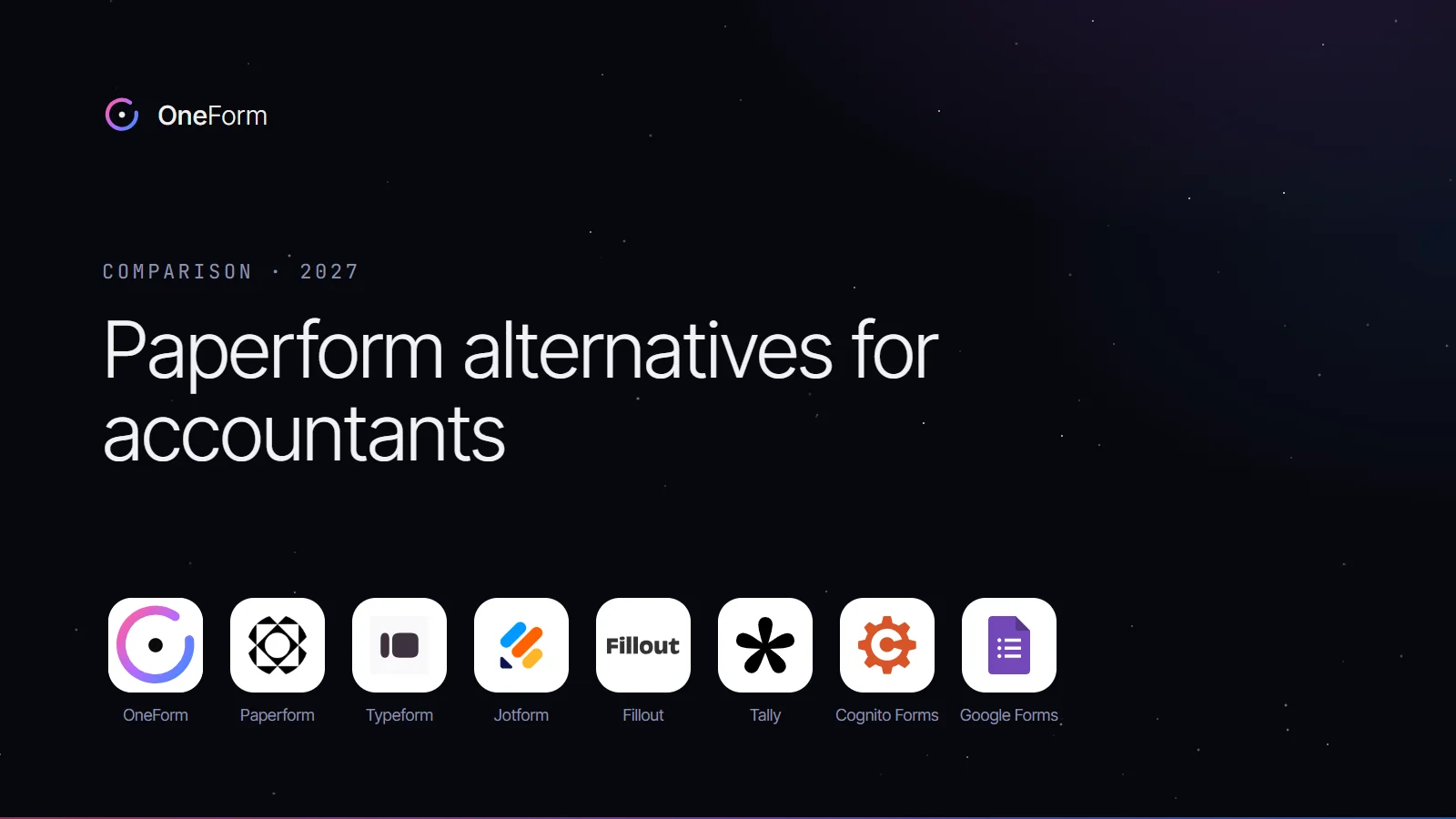
The best Paperform alternative for accountants is OneForm, the AI form builder for CPA firms and advisors, which adds what Paperform does not: a reviewed report from each response, plus bookings and paid consultations on every plan. Jotform is the closest like-for-like replacement, Tally the free option, Fillout the value pick for teams, Typeform the most polished, Cognito Forms the choice for long forms, and Google Forms the internal tool.
We make OneForm, one of the tools on this list. We've tried to be fair: every competitor detail below comes from the vendor's own pricing, product or help pages, checked in November 2026, and each tool's section says who it's best for.
Try OneForm free. Attach a screenshot or PDF of your Paperform form and OneFormAI rebuilds it one question at a time, then every response becomes a report or document you review before it goes out. Start free, no card needed.
Key takeaways
- Paperform is strong at forms that sell or sign: payments with no transaction fee on every plan, Papersign e-signatures and unlimited users. Firms look elsewhere when the free plan's 30 submissions a month run out, when Pro at $49 a month billed annually is more than they need, or when they want the form to lead to a report or a call.
- OneForm is the alternative built for that last job. Reports with review, booking pages and paid consultations are on every plan, Free Forever included (3 live forms, 50 responses a month), as of November 2026.
- Jotform matches most of Paperform's feature list, with payments, Jotform Sign, PDFs and approvals, from $34 a month billed yearly or $39 monthly on Bronze.
- Tally includes payments, signatures, logic and calculations on a free plan with unlimited forms and submissions within fair use, and Fillout's free plan allows 1,000 responses a month with unlimited seats.
- No alternative here writes a client report from the answers except OneForm; the others produce submission PDFs, signed documents or spreadsheet rows.
The best Paperform alternatives at a glance
Prices are in US dollars from each vendor's pricing page in November 2026, before tax.
| Tool | Best for | Free plan | Paid plans from | Standout feature |
|---|---|---|---|---|
| OneForm | Accounting firms and advisors that want a reviewed report, a booking or a paid consultation from each response | Yes: 3 live forms, 50 responses a month | $19/mo billed monthly, or $192/yr (Basic) | AI-drafted report per response, reviewed before sending; bookings and paid consultations built in |
| Paperform (for reference) | Forms that take payment or need a signature | Yes: 30 submissions a month, 3 Papersign documents | $59/mo billed monthly, or $49/mo billed annually (Pro) | Payments with no transaction fee, Papersign, unlimited users |
| Jotform | The closest like-for-like replacement | Yes: 5 forms, 100 submissions a month | $39/mo billed monthly, or $34/mo billed yearly (Bronze) | Payments, e-signatures, PDFs and approvals in one toolkit |
| Tally | Free unlimited forms | Yes: unlimited forms and submissions (fair use) | $24/mo (Pro) | Payments, signatures, logic and calculations free |
| Fillout | Generous free tier with unlimited seats | Yes: 1,000 responses a month | $15/mo billed monthly, or $180/yr (Starter) | PDF generation, scheduling and payments on every plan |
| Typeform | Polished short prospect forms | Yes: 10 responses a month | $39/mo billed monthly, or $28/mo billed yearly (Basic) | Conversational layout, AI form creation |
| Cognito Forms | Long data-gathering forms | Yes: 100 entries a month, 1 user | $24/mo billed monthly, or $19/mo billed annually (Pro) | Repeating sections, save and resume, document generation |
| Google Forms | Quick internal forms | Yes, with a personal Google account | Included in Google Workspace (Business Standard $12/user/mo on a 1-year commitment) | Live results in Google Sheets |
Why do accountants look for Paperform alternatives?
Paperform's home page describes a doc-style editor ("Edit like a doc"), payments and live calculations inside forms, and Papersign, which generates contracts from submission data and sends them for e-signature. For a firm that sells a fixed-fee service through a form and wants the engagement letter signed in the same tool, that is a real strength. The reasons firms shop around are mostly about fit and volume.
- The free plan is small. Free allows 30 submissions a month and carries a Paperform badge that cannot be turned off, per the pricing page. A firm with one intake form and a busy January passes that in a week.
- Pro is a jump. The next step is Pro at $49 a month billed annually or $59 monthly. Several tools below start lower or offer larger free tiers.
- No written report. Papersign produces a contract from the data; interpreting the answers for the client is still a person's job.
- Layout. Paperform forms read like a document. Firms that want a one-question-at-a-time checkup on a phone look at conversational builders.
- Booking. Paperform's home page says teams can "manage bookings and registrations" but does not describe a calendar on the thank-you screen or a paid consultation step.
As of November 2026, Paperform's pricing page lists Free at $0 (30 submissions a month, 3 Papersign documents, 100 MB uploads), Pro at $59 a month or $49 billed annually (unlimited submissions within fair use, 25 Papersign documents a month, 10 GB, branding removed, custom domain $20 a month extra), Business at $149 or $124 (100 Papersign documents, 100 GB, 10 workspaces, one custom domain included) and Enterprise on request. Users are unlimited on every plan, payments are on every plan with no transaction fee, and paid plans have a 7-day trial with no card needed.
How we chose
We looked for tools an accounting firm could adopt without a developer and judged them on layout, logic, pricing and limits, what happens after submit, data handling as described on the vendor's pages, and ease of building. We did not run tests or quote review scores. Every price links to the vendor's own page.
Whatever you move to, keep identifiers and documents out of the client-facing form. Do not ask for Social Security numbers, EINs, dates of birth, account numbers, logins or uploaded documents. Ask about the situation in bands and categories, and collect documents through your portal or tax software after the engagement letter is signed.
1. OneForm: best for firms that want a reviewed report, a booking or a paid consultation from each response
OneForm is ours, and it is built for accounting firms, bookkeepers and financial advisors rather than every form use case. It asks one question at a time, and when the client finishes, the work starts: OneFormAI drafts a report from your firm's instructions, a reviewer approves it, and it goes out as a branded PDF. The thank-you screen can show your booking page or take payment for the report or a call through your own Stripe account.
What stands out
- Reports with review on every plan: tax opportunity reports, planning memos, engagement letters, proposals, document request lists, onboarding summaries and meeting prep notes. Nothing goes out unreviewed unless you turn on auto-send (Pro and Firm). See how reports work.
- Paid reports and paid calls through your own Stripe account on every plan, Free Forever included. The client pays on the thank-you screen and the report goes out after approval. Where Paperform charges inside the form, OneForm charges for the deliverable after it.
- Bookings through OneForm's own booking page or an embedded Calendly, Cal.com, Acuity, Google Calendar appointments, Microsoft Bookings, SavvyCal or similar page, with Zoom, Google Meet or Teams links.
- Rebuild your Paperform form in minutes. Attach a screenshot or PDF and OneFormAI writes the questions, logic, scores and endings. "Design with OneAI" matches the form to your website.
- Ten ready-made tax checkups such as the Tax Opportunity Report, each with its report built in.
- Leads scored by fit and intent, with hot-lead alerts and CRM sync to HubSpot, Pipedrive, Salesforce or Zoho CRM on Pro and Firm.
Things to know
- OneForm has no file upload, e-signature or in-form payment questions, and it is not a document portal. If your Paperform form sells products or collects a signed contract, keep that job in a tool that does it; use OneForm for the checkups, intake and consultations that should lead to a report or a call.
- It has fewer templates and integrations than Jotform or Typeform.
Pricing
As of November 2026, OneForm's pricing is Free Forever at $0 (1 member, 3 live forms, 50 responses a month, AI form building, reports with review, bookings, paid reports and calls, 50 OneAI Tokens a month), Basic at $19 a month or $192 a year (unlimited live forms, 300 responses, analytics, scheduled sends, 3 workflows, REST API, webhooks, embeds), Pro at $49 or $492 (3 members, 1,500 responses, voice forms, auto-send, leads with CRM sync, unlimited workflows) and Firm at $149 or $1,500 (5 members, 5,000 responses, roles, your own sending domain). Yearly saves 16%. Start free without a card.
2. Jotform: best like-for-like replacement
Jotform covers nearly everything Paperform does and adds a wider set of products around it. If you want to move a form with payments and a signature without changing how it works, Jotform is the safest landing.
What stands out
- Payments, file uploads and e-signatures inside the form; Jotform Sign creates reusable documents and collects signatures, and the PDF Editor turns each submission into a designed PDF attached to emails.
- Card Forms for a one-question-at-a-time layout.
- Monthly allowances for payment submissions and signed documents on every plan: 10 each on Starter, 100 on Bronze, 250 on Silver, 1,000 on Gold, per the pricing page.
Things to know
- Every plan below Enterprise is single-user, where Paperform includes unlimited users on every plan.
- Starter forms carry Jotform branding and keep 500 submissions in total; the oldest entry is deleted when storage is exceeded, per Jotform's usage and limits article.
Pricing
As of November 2026, Jotform lists Bronze at $39 a month or $34 billed yearly ($408 a year; 25 forms, 1,000 submissions), Silver at $49 or $39 ($468; 50 forms, 2,500 submissions) and Gold at $129 or $99 ($1,188; 100 forms, 10,000 submissions). Our Jotform pricing guide covers every limit.
3. Tally: best for free unlimited forms
Tally makes payments, signatures, file uploads, conditional logic, calculations and integrations such as Google Sheets, Notion, Zapier, Make and webhooks free, with unlimited forms and submissions within its fair use guidelines, per its pricing page. For a firm that chose Paperform for payments and signatures on a budget, it is the cheapest move.
Things to know
- Removing Tally branding, custom domains, partial submissions, drop-off analytics and unlimited team invites need Pro. Free uploads are capped at 10 MB per file.
- No firm templates and no step after submit beyond integrations.
Pricing
As of November 2026, Pro is $24 a month and Business $74 a month billed monthly, with two months off on yearly billing; the yearly price is not stated on the page.
4. Fillout: best for a generous free tier with unlimited seats
Fillout charges per plan, not per seat, and lists PDF generation, scheduling and payments as included on every plan, Free included, per its pricing page. It is the closest match to Paperform's unlimited-users model at a lower price.
Things to know
- Free allows 1,000 responses a month with unlimited seats and forms and 20 MB per uploaded file; forms keep collecting if you pass the limit.
- Fillout branding is removed on Pro; form analytics, custom domains and partial submissions are on Business. No accounting templates or report step.
Pricing
As of November 2026: Starter $15 a month or $180 billed annually (2,000 responses), Pro $40 or $480 (5,000) and Business $75 or $900 (unlimited). Annual billing saves 20%.
5. Typeform: best for polished short prospect forms
If the Paperform form you want to replace is a prospect questionnaire rather than an order form, Typeform's conversational layout, logic and AI form creation make a good impression. Payments are available inside the form through Stripe.
Things to know
- The free plan collects 10 responses a month across all forms, per Typeform's Free plan article. Paid limits are account-wide: 100 responses and 1 user on Basic, 1,000 and 3 on Plus, 10,000 and 5 on Business. Branding removal starts on Plus.
- No built-in per-response report. See the OneForm as a Typeform alternative page or our best Typeform alternatives guide.
Pricing
As of November 2026, Typeform's plan cards list Basic at $39 a month billed monthly or $28 billed yearly, Plus at $79 or $56 and Business at $129 or $91. Typeform says it experiments with pricing, so your account may show different figures.
6. Cognito Forms: best for long data-gathering forms
Cognito Forms is built for long forms: repeating sections and tables, save and resume, electronic signatures, file uploads, payments through Square, Stripe or PayPal, calculations and documents generated from the data collected, per its features page. It markets itself to accountants on its accounting page, where signatures and Stripe are on Pro and workflow automation on Team.
Things to know
- Scrolling layout; no booking step or written summary. See Cognito Forms alternatives for accountants for the detailed view.
Pricing
As of November 2026, Cognito's pricing page lists Individual at $0 (100 entries a month, 1 user), Pro at $24 a month or $19 billed annually (2,000 entries), Team at $49 or $39 (10,000 entries, 5 users) and Enterprise at $174 or $129 (unlimited entries, 20 users), with a 14-day trial of paid plans. The page showed two plan line-ups when we checked; these are the figures its accounting page matches.
7. Google Forms: best for quick internal forms
Google Forms is free with a personal Google account and included in Google Workspace, with logic that shows questions based on answers, templates and live results in Google Sheets, per Google's Forms page. It has no payments, signatures, scoring or booking step, so it replaces Paperform only for simple questionnaires and internal checklists.
Pricing
As of November 2026, Google's Forms page lists a Personal (Free) option and Business Standard at $12 per user a month with a 1-year commitment or $14.40 billed monthly.
How do you switch from Paperform?
There is no direct Paperform import in the tools above, so plan a rebuild rather than a migration. It is less work than it sounds if you decide first which forms should move at all.
- Export your submissions and signed documents from Paperform and keep them where your firm keeps records, so nothing depends on the old account.
- Sort your forms into two piles: order forms and signed contracts that need in-form payment or e-signature, and client-facing checkups and intake that should lead to a report or a call.
- Rebuild the second pile first. In OneForm, attach a screenshot or PDF of the Paperform form and OneFormAI rebuilds it; Jotform and Typeform also build from uploaded files.
- Move the first pile to Jotform, Tally or Cognito Forms if you still need in-form payments and signatures, and keep the engagement letter in your e-signature tool or portal.
- Take identifiers out as you go. Replace exact figures with bands and drop any field for Social Security or account numbers.
- Test every path with a sample response, then swap the link or embed on your website and pause the Paperform form rather than deleting it for the first month.
Which Paperform alternative should you choose?
- You want the form to end in a reviewed report, a booked call or a paid consultation: OneForm.
- You want to move a form with payments and a signature as it is: Jotform.
- Payments and signatures free: Tally.
- Several staff building forms without per-seat fees: Fillout.
- Short, polished prospect forms: Typeform.
- Long forms with repeating sections: Cognito Forms.
- Quick internal forms: Google Forms.
For how the same tools rank for a bookkeeping practice, see our best form builders for bookkeepers.
Get started with OneForm. Rebuild one Paperform form from a screenshot, turn on reports, add your booking page to the thank-you screen and review the first draft today. Start free, no card needed.
Frequently asked questions
What is the best alternative to Paperform for accountants?
OneForm, if you want the form to produce something: each response becomes a report your team reviews, with a booking page and paid consultations on every plan. Jotform is the closest like-for-like replacement for a form with payments and a signature. Tally covers payments and signatures free, Fillout offers 1,000 free responses a month with unlimited seats, and Typeform is the most polished for prospect forms, all as of November 2026.
Is Paperform free?
Paperform has a free plan with 30 submissions a month, 3 Papersign documents a month and 100 MB of uploads, and free forms carry a Paperform badge that cannot be turned off, as of November 2026. Pro is $59 a month billed monthly or $49 billed annually, Business is $149 or $124, and every paid plan has a 7-day trial with no card needed.
Which Paperform alternative has payments without transaction fees?
Paperform's pricing page says it charges no transaction fees and takes no cut of what you sell; you pay your processor's fees. Tally includes payments on its free plan and Jotform includes payment submissions on every plan (10 a month on Starter, 100 on Bronze). OneForm charges for the report or call after the form through your own Stripe account rather than inside the form.
Which Paperform alternative includes e-signatures?
Jotform (Jotform Sign, with 10 signed documents a month on Starter and 100 on Bronze), Tally (free) and Cognito Forms (on Pro) include e-signatures, as of November 2026. OneForm does not: it drafts the engagement letter or proposal for your review, and signing happens in your e-signature tool or portal. Fillout's and Google's pricing pages do not list e-signatures.
Can I move my Paperform forms to another tool?
None of the tools here lists a direct Paperform import, so the usual route is to rebuild. OneForm's AI builder rebuilds a form from a screenshot or PDF of the original; Jotform and Typeform build forms from uploaded files with AI as well. Export your submissions and signed documents from Paperform first, and keep Social Security and account numbers out of the new client-facing form.
Does any Paperform alternative write a report from the answers?
OneForm does: OneFormAI drafts a report or document from the client's answers and your firm's instructions, and your team reviews it before it is emailed as a branded PDF. Jotform's PDF Editor and Cognito's document generation lay the submitted answers out in a template; Papersign generates a contract from the data. Tally, Fillout, Typeform and Google Forms pass answers to other tools.
This comparison reflects each vendor's published pricing, plans and features as of November 2026. Prices and limits change; check the linked pages before you buy. This article is general information as of November 2026, not tax or legal advice. Confirm figures and how they apply to each client before acting. Paperform, Papersign, Jotform, Tally, Fillout, Typeform, Cognito Forms and Google Forms are trademarks of their respective owners; OneForm isn't affiliated with them.