Scope the books before you quote.
Prospects answer in bands, catch-up work shows itself, and you get a scoping summary to review before the call.
OneForm gives bookkeepers a scoping form that asks about entity, software, volume bands and how far behind the books are, then branches to the questions that matter. Each response drafts a scoping summary you review before quoting, and the prospect books the call from the thank-you screen. Monthly check-in forms run on the same pipeline.
Priced from bands
Accounts, transactions and payroll add up to a tier before the call.
Catch-up branch
Months behind opens the clean-up questions; current books skip them.
Call booked from the form
Good-fit prospects pick a time on the thank-you screen.
What should a bookkeeping intake form ask?
Scope comes from volume and complexity, so ask for both in bands: how many bank and card accounts (the count, never the numbers), roughly how many transactions a month, whether there is payroll, sales tax, inventory or several locations. Ask which software the books are in, who keeps them today, and when they were last reconciled. Ask what the owner wants from a bookkeeper and what they expect to pay, in ranges. Logins, statements and account numbers never go in a form.
- Entity type, industry and revenue in bands
- Number of accounts, transactions a month, payroll and sales tax
- Software in use, month last reconciled, services wanted and budget range
How do you price bookkeeping from bands?
Give each answer points and keep a complexity score as the prospect goes. Multiple endings then show the tier the score lands in: a starter package for a sole proprietor with one account, a standard package, a custom quote above a threshold, or a polite referral when the budget is below your minimum. Earlier answers and the score can be recalled in the ending text, so the prospect sees why. OneFormAI can suggest the points, and a logic map shows every rule in plain English.
- Several named scores, such as volume and complexity
- Endings that hide the booking calendar for prospects who do not fit
How does the form catch a catch-up job?
The month the books were last reconciled is the question that changes the price. If it is more than a couple of months back, a branch opens: how many months, whether returns have been filed for those years, whether bank feeds are connected, whether personal and business spending are mixed. Those answers feed a separate catch-up score and a separate ending, so a clean-up job never gets quoted as ongoing bookkeeping.
What does the bookkeeper receive before quoting?
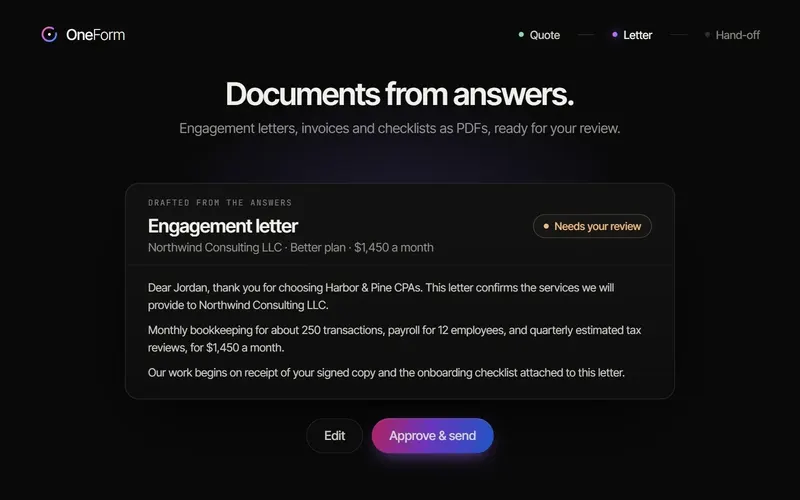
Each response drafts an internal scoping summary to your instructions: the situation in three lines, the tier the answers point to, the questions to ask on the call, and anything that looks off. Mark it internal so it goes to you, not the client, and review it with the answers beside it. When you are ready to quote, a proposal or scope of work can be drafted from the same answers, approved, and sent as a branded PDF with a booking button. Opens and clicks are tracked, and totals in any table are summed by OneForm, not the AI.
Can clients fill in a monthly check-in form?
Yes, and it cuts the back-and-forth at close. A short monthly form asks whether new accounts or cards were opened, which transactions need explaining, whether receipts for large purchases are in the portal, and what changed with staff or sales tax. A hidden field in the link carries the client's ID. A workflow adds each response as a row in Google Sheets, posts it to Slack, and nudges clients who stop halfway. The form carries answers only; receipts and statements go to your portal or the accounting software.
How does it fit with QuickBooks, Xero, TaxDome or Karbon?
OneForm does not connect to the ledger. It is the intake and report layer in front of your practice tools: scoping, the summary, the proposal and the first call. Bank feeds and access live in QuickBooks Online or Xero as they do today. For TaxDome, download leads as a CSV shaped for its client import. For Karbon, Canopy and others, send each response by signed webhook, through the REST API, or into a Google Sheets row, on Basic and up.
A two-person bookkeeping practice in Georgia scopes from its website
From a prospect's first visit to a reviewed quote and a booked call.
- 01
The owner describes the scoping form to Create with AI and sets points: accounts, transactions, payroll and sales tax feed a complexity score; the reconciliation month feeds a catch-up score.
- 02
Four endings are set: Starter, Standard, Custom quote, and a referral ending that hides the calendar.
- 03
A landscaping business owner answers on his phone. Eleven months since the last reconciliation opens the catch-up branch.
- 04
OneFormAI drafts an internal scoping summary. Its first line flags the clean-up and lists the questions to ask on the call.
- 05
The prospect books a call from the thank-you screen; the owner reads the summary before it.
- 06
After the call, a proposal with a catch-up line and a monthly fee is drafted from the same answers, reviewed, approved and sent as a PDF.
- 07
A workflow logs the engagement to Google Sheets, and the client gets the monthly check-in link.
Start from one of these
Questions, answered.
Can a prospect see a price range at the end of the form?
Yes. Scores are calculated as the prospect answers, and each ending can recall the score and earlier answers in its text, so the thank-you screen can show the tier and the range you set for it. The exact quote still comes from you, after you have read the scoping summary and had the call.
What should never go in a bookkeeping intake form?
Bank logins, account and card numbers, EINs, Social Security numbers, statements and receipts. The form asks for counts and bands; access to the books is granted inside QuickBooks Online or Xero after the engagement, and files go through your portal. Connected-app credentials are encrypted at rest, AI drafting runs with data storage turned off at the AI provider, and the security page lists the rest.
Does OneForm connect to QuickBooks Online or Xero?
No. OneForm handles scoping, the summary, the proposal and the booking, and leaves the ledger alone. Each response can go to Google Sheets, Slack, a signed webhook or the REST API on Basic and up, and leads sync to HubSpot, Salesforce, Pipedrive or Zoho CRM on Pro and Firm.
How does OneForm fit with TaxDome, Canopy or Karbon?
It sits in front of them as the intake and report layer. OneForm runs the scoping form, the drafted summary and proposal, and the first call. Leads download as a CSV shaped for TaxDome's client import; Canopy, Karbon and other suites receive each response by signed webhook, through the REST API, or from a Google Sheets row that Zapier or a similar tool picks up.
Which plan does a small bookkeeping practice need?
Free Forever covers three live forms, 50 responses and 50 OneAI Tokens a month, enough for a scoping form and a check-in. Basic at $19 a month adds unlimited forms, website embeds, scheduled sends, three workflows and Google Sheets. Pro at $49 adds three seats, lead scoring with CRM sync and unlimited workflows. Yearly billing saves 16 percent.
Good advice starts with good questions.
Create your firm in a minute and send your first form today.