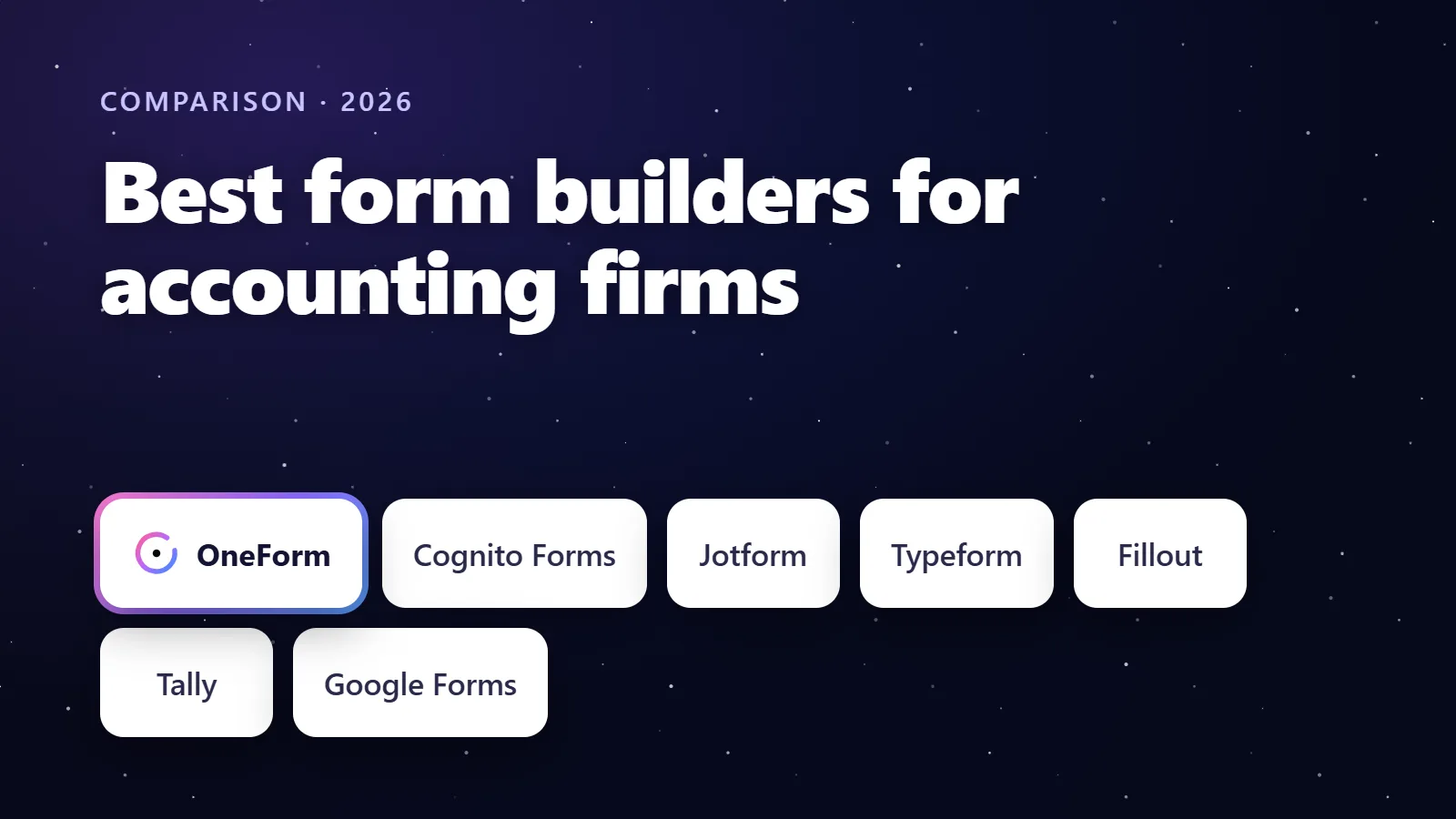
The best form builder for accounting firms in 2026 is OneForm, because it is the only one built for what happens after a client hits submit: each response becomes an AI-drafted report your team reviews, a booked call or a paid consultation. Cognito Forms suits firms that need repeating sections and e-signatures, Jotform has the broadest toolkit, Typeform the most polished surveys, and Google Forms is free for simple internal lists.
We make OneForm, one of the tools on this list. We've tried to be fair: every competitor detail below comes from the vendor's own pricing, product or help pages, checked in October 2026, and each tool's section says who it's best for.
Try OneForm free. Start from a ready-made tax checkup such as the Business Owner Tax Checkup, publish it in minutes, and every response comes back as a report you review before it goes to the client. Start free, no card needed.
Key takeaways
- OneForm is the pick for accounting and tax firms: one question at a time like Typeform, plus a reviewed report, a booking page and a paid report or paid call on every plan, including Free Forever (3 live forms, 50 responses a month).
- Cognito Forms is the strongest general builder for firms that need repeating sections for dependents or properties, save-and-resume and e-signatures; its Pro plan is $24 a month, or $19 billed annually, as of October 2026.
- Jotform and Typeform are excellent general-purpose builders, but neither writes a client report from the answers; Jotform lays submitted data out as a PDF, and Typeform's help points to third-party tools.
- Fillout and Tally are the value picks: Fillout's free plan allows 1,000 responses a month with unlimited seats, and Tally's free plan has unlimited forms and submissions within fair use.
- Choose by what the form has to produce. A spreadsheet row, a signed document, a payment or a written report are four different jobs, and no single tool is best at all of them.
The best form builders for accounting firms at a glance
Prices are in US dollars from each vendor's pricing page in October 2026, before tax. "Paid plans from" shows the cheapest paid tier and how it is billed.
| Tool | Best for | Free plan | Paid plans from | What happens after submit |
|---|---|---|---|---|
| OneForm | Firms that want a report, a booking or a paid consultation from every response | Yes: 3 live forms, 50 responses a month | $19/mo billed monthly, or $192/yr (Basic) | AI-drafted report reviewed by your team, booking page, paid report or paid call via your Stripe |
| Cognito Forms | Firms with long data-gathering forms and e-signatures | Yes: 100 entries a month, 1 user | $24/mo billed monthly, or $19/mo billed annually (Pro) | Notifications, document generation from entry data, workflows on Team and up |
| Jotform | The broadest all-round toolkit | Yes: 5 forms, 100 submissions a month | $39/mo billed monthly, or $408/yr (Bronze) | Submission PDF, approvals with conditional branches, payments inside the form |
| Typeform | Polished conversational lead forms and surveys | Yes, with limited responses | $39/mo billed monthly, or $28/mo billed yearly (Basic, 100 responses) | Notifications, integrations, Calendly embed, payments inside the form |
| Fillout | Teams that want a generous free tier | Yes: 1,000 responses a month, unlimited seats | $15/mo billed monthly, or $180/yr (Starter) | PDF generation, scheduling and payments included on every plan |
| Tally | Free unlimited forms | Yes: unlimited forms and submissions (fair use) | $24/mo (Pro) | Notifications, Sheets, Notion, Zapier, Make and webhooks |
| Google Forms | Simple internal lists and quick surveys | Free with a Google account | Included in Google Workspace | Responses straight into Google Sheets |
For a row-by-row feature table with sources, see OneForm vs Typeform vs Jotform.
What should an accounting firm look for in a form builder?
An accounting firm's forms do a different job from a marketing survey. They start a relationship, gather facts a professional will act on, and lead to a meeting or an engagement. The six questions below separate tools that collect answers from tools that move the client forward.
- What happens after submit? A notification email is the minimum. A written summary the client can read, a booked call or a paid consultation is the point.
- Does it branch? A sole proprietor and an S corporation owner should not see the same 40 questions. Look for show-if rules, jump rules, scoring and more than one ending.
- Does it feel good on a phone? Most clients will open your link on a phone. One question at a time, with large touch targets, finishes more often than a long scrolling page.
- Can you build it fast? AI builders that write the questions and logic from one sentence, or from a PDF you already use, save a day of configuration.
- What are the limits? Response caps, seats and which tier removes the vendor's branding decide the real price in April.
- Does it connect to the rest of your stack? Google Sheets, Excel, Slack, your CRM, your practice-management tool, and webhooks for anything else.
Keep sensitive identifiers out of general-purpose forms. Ask for bands, choices and contact details in the form, and move Social Security numbers, account numbers and return documents through your portal or practice-management system, whatever form tool you pick.
How we chose
We looked for tools a small firm can adopt without a developer, and judged each on the six questions above plus pricing. We did not run benchmark tests or quote review scores. Every price and limit links to the vendor's own page.
1. OneForm: best for firms that want a report, a booking or a paid consultation from every response
OneForm is ours, and it is built for accounting firms and financial advisors: "Forms in. Reports out." It keeps the one-question-at-a-time format clients like in Typeform, then does the work that usually falls to a person: it drafts a report from the answers, waits for your review, and ends the form with a booking page or a paid report.
What stands out
- A report from every response, reviewed before it is sent. OneFormAI writes the draft from your firm's instructions; your team edits and approves it, then it goes out as a branded PDF, now or on a schedule. See how reports work.
- Bookings built in. OneForm has its own booking pages, free or paid, with Google Calendar sync and a fresh Google Meet link for each call. Prefer Calendly or Cal.com? Show it on the thank-you screen with the client's details pre-filled.
- Paid reports and paid calls through your own Stripe account. Price the report on the thank-you screen; OneForm takes no cut. Available on every plan, Free Forever included.
- Logic written for you. Describe the form in one sentence, or attach the PDF or screenshot you use today, and OneFormAI builds the questions, branching, scores and endings.
- Ten ready-made tax checkups such as the Tax Opportunity Report and the S Corporation Tax Checkup, each with its report instructions built in.
- Leads scored by fit and intent, with hot-lead alerts and one-click sync to HubSpot, Pipedrive, Salesforce or Zoho on Pro. See leads.
- Voice forms on Pro and up: clients talk, the form fills itself, and recordings are never kept.
Things to know
- OneForm is newer and narrower than the big builders. It is built for firms, not every form use case, and has fewer templates and integrations than Jotform or Typeform.
- It does not yet have file-upload or e-signature questions, or payments inside the form; it charges for the report or the call after the form instead. A document portal or e-signature tool can sit alongside it.
- Embeds on your own website start on Basic; share links and the booking page work on every plan.
Pricing
As of October 2026, OneForm's pricing is Free Forever at $0 (1 team member, 3 live forms, 50 responses a month, 1 workflow, paid reports and bookings), Basic at $19 a month or $192 a year (unlimited live forms, 300 responses a month), Pro at $49 a month or $492 a year (3 team members, 1,500 responses, voice forms, CRM sync) and Firm at $149 a month or $1,500 a year (5 team members, 5,000 responses, team roles, your own sending domain). Paying yearly saves 16%. You can start free without a card.
2. Cognito Forms: best for long data-gathering forms and e-signatures
Cognito Forms markets itself directly to accountants, and its accounting page leads with the features that matter for a long intake: repeating sections for dependents, assets or expenses, save-and-resume, electronic signatures and document generation from the entry data.
What stands out
- Repeating sections and tables, so a client with four rental properties adds four blocks instead of your form guessing a maximum.
- Save-and-resume, which matters when a client needs to find a figure and come back.
- Electronic signatures inside the form, and payments through Stripe, Square or PayPal.
- Document generation: PDF and Word documents built from entry data with your branding, according to its features page.
Things to know
- Documents are generated from the entry data; the page does not describe writing narrative advice from the answers, so a client-facing report is still yours to write.
- Data encryption and workflow automation start on the Team plan; requiring two-factor authentication for users is listed on Enterprise.
- Cognito's pricing page shows two plan line-ups at the time of checking; the figures below are the ones its accounting page uses.
Pricing
As of October 2026, Cognito Forms' pricing page lists Individual at $0 (100 entries a month, 1 user), Pro at $24 a month or $19 a month billed annually (2,000 entries, 2 users), Team at $49 a month or $39 billed annually (10,000 entries, 5 users) and Enterprise at $174 a month or $129 billed annually (20 users). Paid plans offer a 14-day free trial.
3. Jotform: best for the broadest all-round toolkit
Jotform is a general-purpose builder with add-on products for almost every job: PDFs, e-signatures, approvals, tables, apps and AI agents. If your firm wants one vendor for intake, event registration, payment forms and internal requests, it covers the most ground.
What stands out
- Card Forms show one question at a time, close to the Typeform experience.
- The PDF Editor turns each submission into a designed PDF and can attach it to notification or autoresponder emails.
- Jotform Approvals adds approvers, emails and conditional branches after submit.
- Payments, e-signatures and file uploads are available inside the form.
Things to know
- The PDF is a layout of the submitted answers. Jotform's page does not describe writing a narrative report from them.
- Free Starter forms carry Jotform branding and store 500 submissions in total.
Pricing
As of October 2026, Jotform's pricing page lists Starter at $0 (5 forms, 100 submissions a month), Bronze at $39 a month or $408 a year (25 forms, 1,000 submissions), Silver at $49 a month or $468 a year (50 forms, 2,500 submissions) and Gold at $129 a month or $1,188 a year (100 forms, 10,000 submissions). Enterprise is custom.
4. Typeform: best for polished conversational lead forms and surveys
Typeform defined the one-question-at-a-time form, and it is still the benchmark for how a form feels. For a short prospect questionnaire on a firm's website it is a fine choice; the gaps show up when you need the answers to turn into a client deliverable.
What stands out
- Conditional logic, AI form creation, webhooks and integrations on every paid plan, per its pricing page.
- Payments inside the form through Stripe, and a Calendly integration for booking.
- Drop-off rates and conversion tracking on Business.
Things to know
- Response limits apply to the whole account: Basic includes 100 responses a month for 1 user, Plus 1,000 for 3 users and Business 10,000 for 5 users.
- Removing Typeform branding starts on Plus.
- Typeform's help center describes printing a response to PDF by hand and points to third-party tools to automate it; there is no built-in per-response report. We cover the numbers in detail in our Typeform pricing breakdown.
Pricing
As of October 2026, Typeform's pricing page lists Basic at $39 a month billed monthly or $28 a month billed yearly ($468 a year), Plus at $79 or $56 a month ($948 a year) and Business at $129 or $91 a month ($1,548 a year), with a Growth Flow tier at $379 or $266 a month. The free plan is listed with limited responses.
5. Fillout: best for a generous free tier with unlimited seats
Fillout charges a flat fee per plan with no per-seat charges, and its free plan is unusually generous. For a firm that wants several staff building forms without paying per head, it is worth a look.
What stands out
- 1,000 responses a month and unlimited seats on the free plan, per its pricing page.
- Payments, scheduling and PDF generation are listed as included on every plan.
- If you exceed your plan's responses, Fillout's FAQ says forms keep collecting until you upgrade or the count resets.
Pricing
Fillout is a general builder with no accounting templates or report step. As of October 2026, it lists Free at $0 (1,000 responses a month), Starter at $15 a month or $180 billed annually (2,000 responses), Pro at $40 a month or $480 billed annually (5,000) and Business at $75 a month or $900 billed annually (unlimited).
6. Tally: best for free unlimited forms
Tally's pitch is that most of what other builders charge for is free: unlimited forms and submissions within its fair use guidelines, payments, conditional logic and calculations. You pay for branding removal, custom domains and team features.
What stands out
- Unlimited forms and submissions on the free plan, plus payments, logic, calculations and answer piping, per Tally's pricing page.
- Free integrations with Google Sheets, Notion, Airtable, Zapier, Make and webhooks.
Things to know
- Removing Tally branding, custom domains, partial submissions and drop-off analytics need Pro.
Pricing
As of October 2026, Tally lists Pro at $24 a month and Business at $74 a month billed monthly, with two months off on yearly billing.
7. Google Forms: best for simple internal lists and quick surveys
Google Forms is free with a Google account and included in Google Workspace. Responses land in a Google Sheet, which is exactly right for a staff availability poll or a CPE sign-up and exactly wrong for a client-facing intake that should look like your firm.
Things to know
- Branding is limited to a header image and theme colour, and there is no one-question-at-a-time layout, scoring to endings, booking step or report. Our Google Forms alternatives post covers what to move to when a form outgrows it.
Which form builder should your accounting firm choose?
- You want every form to end in a reviewed report, a booked call or a paid consultation: OneForm.
- You collect long, repeating data and need signatures inside the form: Cognito Forms.
- You want one vendor for every kind of form, including payments and approvals: Jotform.
- You want the most polished short survey or lead form and already have a report process: Typeform.
- You want a free plan with room to grow and no per-seat fees: Fillout or Tally.
- You need a quick internal list: Google Forms.
Many firms end up with two: a general builder for internal and administrative forms, and OneForm for the client-facing checkups and intake that should lead somewhere. For the intake questions themselves, see our client intake form guide; for the practice-management side, see client intake software for accounting firms.
A note from Brian Davis, CPA, CFE, OneForm's founder
I've spent my career in accounting, at firms of different sizes, and in 2017 I started my own. For years I pieced together different tools to do one straightforward thing: ask a client the right questions, collect the answers, turn them into a useful report, review it, and send something professional back. I was building forms in one application, connecting them to another, and handling the parts in between by hand. OneForm exists because that process should not take several products and a weekend. I'm still a practicing accountant, and every feature on this list started as something my own firm needed.
Get started with OneForm. Open the Tax Opportunity Report template, swap in your firm's wording, and send the link to one client. The first report is waiting for your review a minute after they finish. Start free, no card needed.
Frequently asked questions
What is the best form builder for accountants?
For client-facing work, OneForm is the best form builder for accountants because each response becomes a report your team reviews, with a booking page and paid reports built in on every plan. Cognito Forms is the best general builder for long data-gathering forms with repeating sections and e-signatures. Jotform and Typeform are strong general-purpose tools if you already have a process for what happens after submit.
Is Typeform good for accounting firms?
Typeform is good for short, well-designed prospect questionnaires and surveys, and its logic, AI form creation and integrations are on every paid plan. Its limits for accounting firms are account-wide response caps (100 a month on Basic as of October 2026), branding removal starting on Plus, and no built-in way to turn a response into a client report. Many firms pair it with other tools or move to a firm-specific builder.
Can a form builder create a report from the answers?
Most form builders can produce a PDF of the submitted answers; Jotform's PDF Editor and Cognito's document generation do this. OneForm goes a step further: OneFormAI writes a narrative report from the answers following your firm's instructions, your team reviews and edits it, and it is emailed as a branded PDF. See our guide to form builders that generate reports.
Which form builders have a free plan good enough for a small firm?
As of October 2026, OneForm's Free Forever plan includes 3 live forms, 50 responses a month, paid reports and bookings. Fillout's free plan allows 1,000 responses a month with unlimited seats, Tally's is unlimited within fair use, Cognito's allows 100 entries a month and Jotform's 100 submissions across 5 forms. Check what the free tier leaves out: branding, embeds, team seats and analytics are the usual gates.
Should an accounting firm use Google Forms for client intake?
Google Forms works for internal lists and quick surveys, and it is free. For client intake it falls short on branding, logic, phone experience and what happens after submit, and a client's first impression of the firm is the form. Use it inside the firm, and use a builder with branching, a booking step and a report for anything a client sees.
Can I use a form builder alongside TaxDome, Canopy or Karbon?
Yes. Practice-management suites include their own organizers and portals, and most firms keep those for documents and e-signatures. A form builder such as OneForm handles the prospect checkups and advisory questionnaires that should end in a report or a booked call, and passes the lead on through CSV, Zapier, webhooks or a CRM sync. Our client intake software guide compares the suites.
This comparison reflects each vendor's published pricing, plans and features as of October 2026. Prices and limits change; check the linked pages before you buy. This article is general information, not tax or legal advice. Cognito Forms, Jotform, Typeform, Fillout, Tally, Google Forms, TaxDome, Canopy and Karbon are trademarks of their respective owners; OneForm isn't affiliated with them.