The audit log shows who did what in your firm, and when: sign-ins, team changes, settings, exports, privacy requests and more. Entries can't be edited or deleted, so it's a reliable record when you need to check what happened.
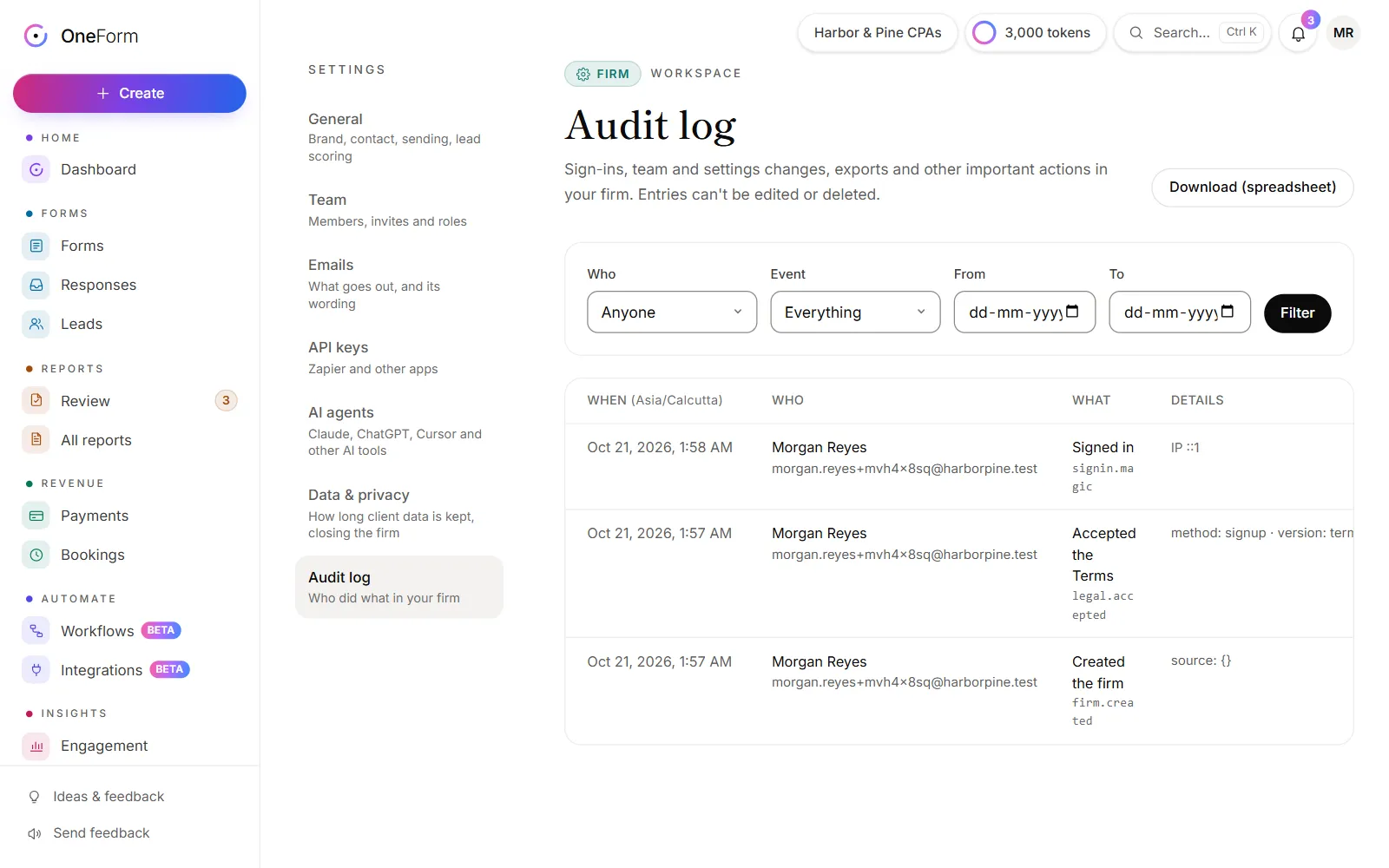
Open the audit log
- Go to Settings.
- Choose Audit log.
Only owners and admins see it.
Find an event
- Under Who, pick a teammate, or OneForm staff.
- Under Event, pick a kind of event, such as Sign-ins, Team or Responses & exports.
- Set From and To to narrow the dates.
- Click Filter.
Click Clear to see everything again, and ← Newer or Older to move between pages. Newest events are first.
What's recorded
| Kind | Examples |
|---|---|
| Sign-ins | Sign-ins, failed sign-ins, a sign-in on a new device, signing out other sessions. |
| Team | Invites sent, accepted and canceled, role changes, ownership handed over, people removed or leaving. |
| Settings | Changes to your firm's settings, such as your sending domain or how long client data is kept. |
| Forms, Workflows, Reports | Forms created or deleted, workflows turned on or paused, reports approved, sent, edited or downloaded. |
| Responses & exports | Deleted responses, and exports of responses, orders, invoices and the audit log. |
| Privacy | Exporting or erasing a person's data, old client data deleted on schedule, downloading all firm data, closing the firm. |
| Payments, Bookings, Billing | Refunds, Stripe connected or disconnected, booking changes, plan changes. |
| API & webhooks, AI agents | API keys created or revoked, AI agents connected or disconnected. |
| OneForm staff | When someone from OneForm opens your firm, or makes a change in it. |
Each row shows When, Who, What and Details. Times are in your firm's time zone.
Good to know
- You can see when OneForm staff look. OneForm staff open a firm only to help when you ask, keep the service secure, or comply with law. Each time, the audit log shows it as OneForm staff. See How OneForm keeps client data safe.
- "System" means OneForm did it automatically, for example deleting old client data on schedule.
- Download (spreadsheet) saves the log, with your filters, as a spreadsheet. It depends on your plan. If your plan doesn't include it, the button shows the plan you'd need.
Why don't I see the audit log?
- Your role doesn't include it. Only owners and admins see Audit log in Settings. Ask one of them.
Why is the audit log empty?
- Your filters match nothing. It says Nothing matches these filters. Click Clear.
- Your firm is new. Events appear as people sign in and make changes.