Everyone on your team has a role. It decides what they can see and change in your firm. There are four roles, from the most access to the least.
| Role | What they can do |
|---|---|
| Owner | Everything, including billing, payouts, downloading all the firm's data and closing the firm. |
| Admin | Everything except those owner-only tasks and ownership: forms, workflows, the team, settings, integrations and refunds. |
| Reviewer | See everything; review, edit and send reports; manage bookings. |
| Viewer | See forms, responses, reports and leads, without changing anything. |
The Reviewer and Viewer roles depend on your plan. On a plan without them, everyone you invite joins as an Admin, or as an Owner if an owner chooses that.
Change someone's role
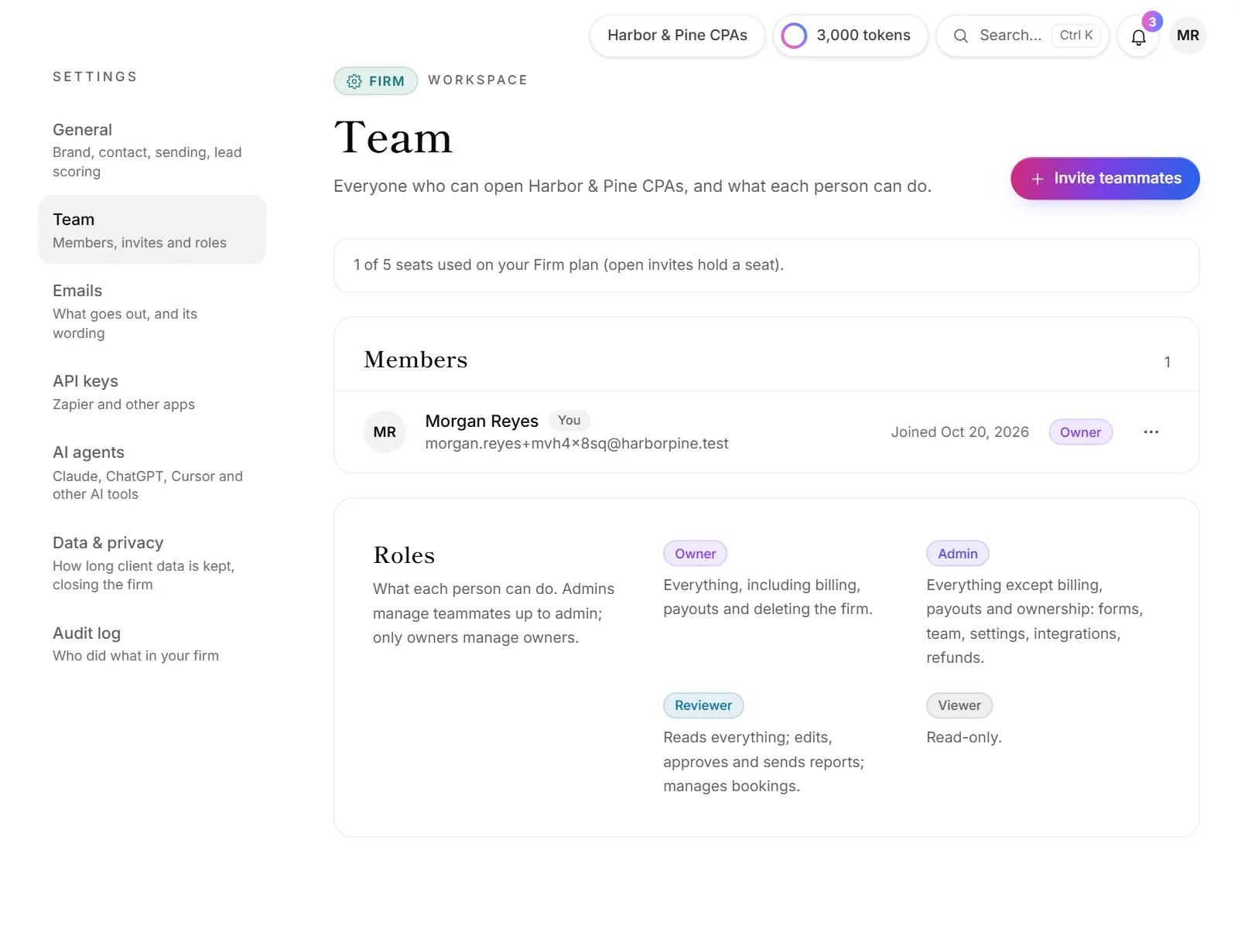
Owners and admins can change roles. Admins can manage teammates up to their own level, and only an owner can change another owner.
- Go to Firm → Team.
- Next to the person, open the ⋯ menu and choose Change role.
- Pick the new role and click Save role.
If OneForm asks you to confirm it's you, enter your password, or sign in again if you don't use one. They get an email saying what they can do now.
Make someone the owner
Only an owner can hand over ownership.
- Go to Firm → Team.
- Next to the person, open the ⋯ menu and choose Make owner.
- Confirm with Make owner. You may be asked for your password first.
They get billing, payouts and the power to delete the firm. You become an admin, and only an owner can make you owner again.
Remove someone or leave the firm
- To remove a teammate, open their ⋯ menu and choose Remove from firm. They lose access right away. Their past work, such as reports and notes, stays.
- To leave a firm yourself, open the ⋯ menu next to your own name and choose Leave firm. Someone on the team has to invite you again to come back. If you're the only owner, make someone else owner first. See Leave a firm or delete your account.
Why can't I change someone's role?
- Your role doesn't allow it. Only owners and admins manage the team, and admins can't change owners. The Team page says so when you can't.
- It's your own row. You can't change your own role. Ask another owner or admin.
- The role isn't on your plan. Without team roles on your plan, Reviewer and Viewer aren't offered. To make someone owner, use Make owner instead.
- They're the last owner. A firm always keeps at least one owner. Make someone else owner first.