Each plan has room for a set number of responses a month, live forms, team members and workflows. When you reach a limit, OneForm never turns clients away. It holds what's over the limit, or asks you to make room, and tells you how.
To see where you stand, go to Billing. The This month card shows your use against each limit. The numbers for every plan are on the pricing page.
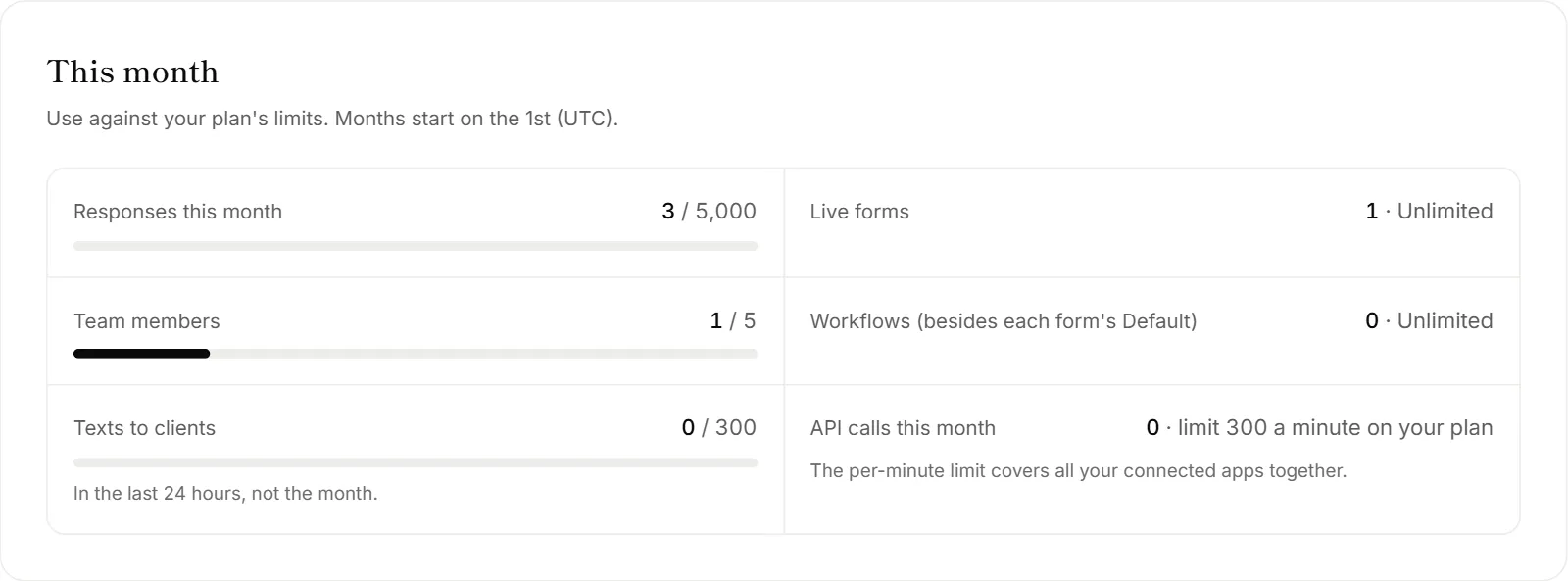
Responses a month
Months start on the 1st (UTC). When this month's responses are used:
- Clients don't notice. Your forms stay open, and clients see the usual thank-you screen.
- New responses wait. They're saved, but they don't get a report, emails or workflows yet. They don't show on Responses, Leads or Insights until they come through.
- You're told. Responses and Billing say how many are waiting, and your Dashboard lists them under Needs you.
- They come through by themselves, oldest first, as soon as there's room: right after you upgrade, or on the 1st. Then their reports, emails and workflows run as usual.
A client who pays for a report doesn't wait. Their response comes through as soon as they pay. A booking on a booking page is confirmed straight away too. Only the rest of the response waits.
If a response waits a long time, the client doesn't get a late confirmation email when it comes through. Your team's alerts and workflows still run.
Live forms
Published forms, booking pages included, count as live forms. Drafts don't, and neither do the sample forms until you make one your own.
When you have no room, Publish shows a message like "Your … plan includes … live forms" with an Upgrade link. To make room, unpublish a form you no longer use, or upgrade.
Team members
Everyone on the team counts, and so does every open invite until it's accepted, revoked or expires.
When you have no room, you can't send another invite. To make room, click Revoke on an open invite or remove someone on Firm → Team, or upgrade.
Workflows
Each form's Default workflow never counts. Other workflows count while they're on. When you have no room, you can't turn on another one. Pause one first, or upgrade. See Workflows explained.
OneAI Tokens
When this month's tokens run out, your forms keep working and new reports are drafted as a summary of the answers until you add tokens, upgrade, or the month resets. See OneAI Tokens.
After you move to a smaller plan
When a downgrade or cancellation takes effect at the end of your period:
- Live forms stay live. You just can't publish more until you're under the new limit.
- Your team stays. Everyone keeps their seat and role. You can't invite anyone new until there's room.
- Extra workflows pause. OneForm keeps your oldest workflows on, up to the new limit, and pauses the newest. Owners and admins get a note saying which ones. To swap, pause one and turn on another.
- Features the plan doesn't have switch off, but nothing is deleted. Voice forms run as typed forms, forms on other websites show a button that opens the form in a new tab, and workflow steps for apps or features the plan doesn't include are skipped or stop with a note. Upgrade again and these come back as they were. Paused workflows stay paused until you turn them back on.
Why are some responses missing from Responses?
They're waiting for room: this month's responses on your plan are used. The note at the top of Responses says how many are waiting and when they'll come through. Click See plans to upgrade now.
Why can't my teammate accept their invite?
Your plan has no free seat right now, usually after a move to a smaller plan. They see "This firm's … plan has no free seats right now". Make room on Firm → Team, or ask your owner to upgrade. Then they can open the invite again.