You can download everything your firm holds in OneForm as one file: for your own records, to move to another tool, or before you close your firm.
Before you start
Only the firm's owner can download all the firm's data, since it holds every client's answers.
Download your data
- Go to Billing.
- In the Your data card, click Download all your data.
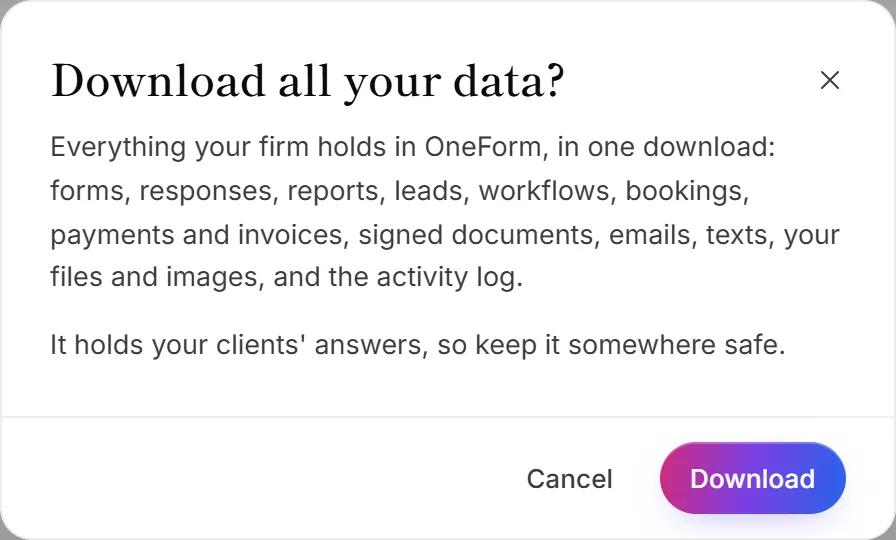
- Click Download.
- If OneForm asks, enter your Current password and click Download again.
The file downloads to your computer. It's named after your firm and today's date, such as
your-firm-oneform-export-2026-10-21.json.
You'll find the same link in Settings → Data & privacy, in the Close firm card.
What's in the file
Everything your firm holds in OneForm:
- forms, responses and reports;
- leads;
- workflows;
- bookings;
- payments and invoices;
- emails;
- your files and images;
- the activity log.
The file is in JSON, a standard format that developers and many tools can read. It isn't meant to be opened in a spreadsheet. For a spreadsheet of one form's responses, see Export responses.
The file holds your clients' answers. Keep it somewhere safe, and delete copies you no longer need.
Good to know
- One client's data. To export or delete what you hold about one person, open them on the Leads page. See Delete a response or a client's data.
- Closing your firm? Download your data first. After a firm is closed, everything it holds is deleted for good 30 days later. See Close your firm.
- Each download is logged. It shows in your firm's activity log.
Why don't I see Download all your data?
Only owners see it. Ask your firm's owner to download the data, or to make you an owner. See Roles and permissions.
Why does it say the download link has expired?
For safety, the download starts within a few minutes of confirming it's you. If it took too long, go back to Billing and click Download all your data again.
Why does it ask me to sign in again?
You don't use a password, and you signed in more than 15 minutes ago. Click Sign in again, then come back and download the file.