OneAI Tokens pay for the AI work OneFormAI does for you: drafting reports, building forms and more. Your plan comes with tokens every month, and you can buy extra tokens whenever you need them.
What uses tokens
Each AI action uses what it actually costs, so a short report uses fewer tokens than a long one. These use tokens:
- drafting reports and documents;
- building and editing forms with OneFormAI;
- writing report instructions with OneFormAI;
- setting up workflows with OneFormAI;
- translating forms;
- voice form conversations;
- sample reports, once this month's free ones are used.
These are free:
- learning from the ratings you give drafts;
- dynamic questions that OneFormAI picks as clients answer;
- your first sample reports each month.
On plans with the lighter AI model, each action costs fewer tokens, so your tokens go further.
See how many you have left
The tokens pill at the top right of OneForm shows what's left this month. Click it for the details: what's left, when your tokens reset, any extra tokens, and about how many more AI reports you can draft.
For the full picture, go to Billing. The OneAI Tokens card shows:
- This month's tokens: what's left of your plan's tokens.
- Extra tokens: tokens you bought, or that OneForm added.
- About this many reports: a rough guide to what's left.
- What used them this month: tokens by kind of AI work.
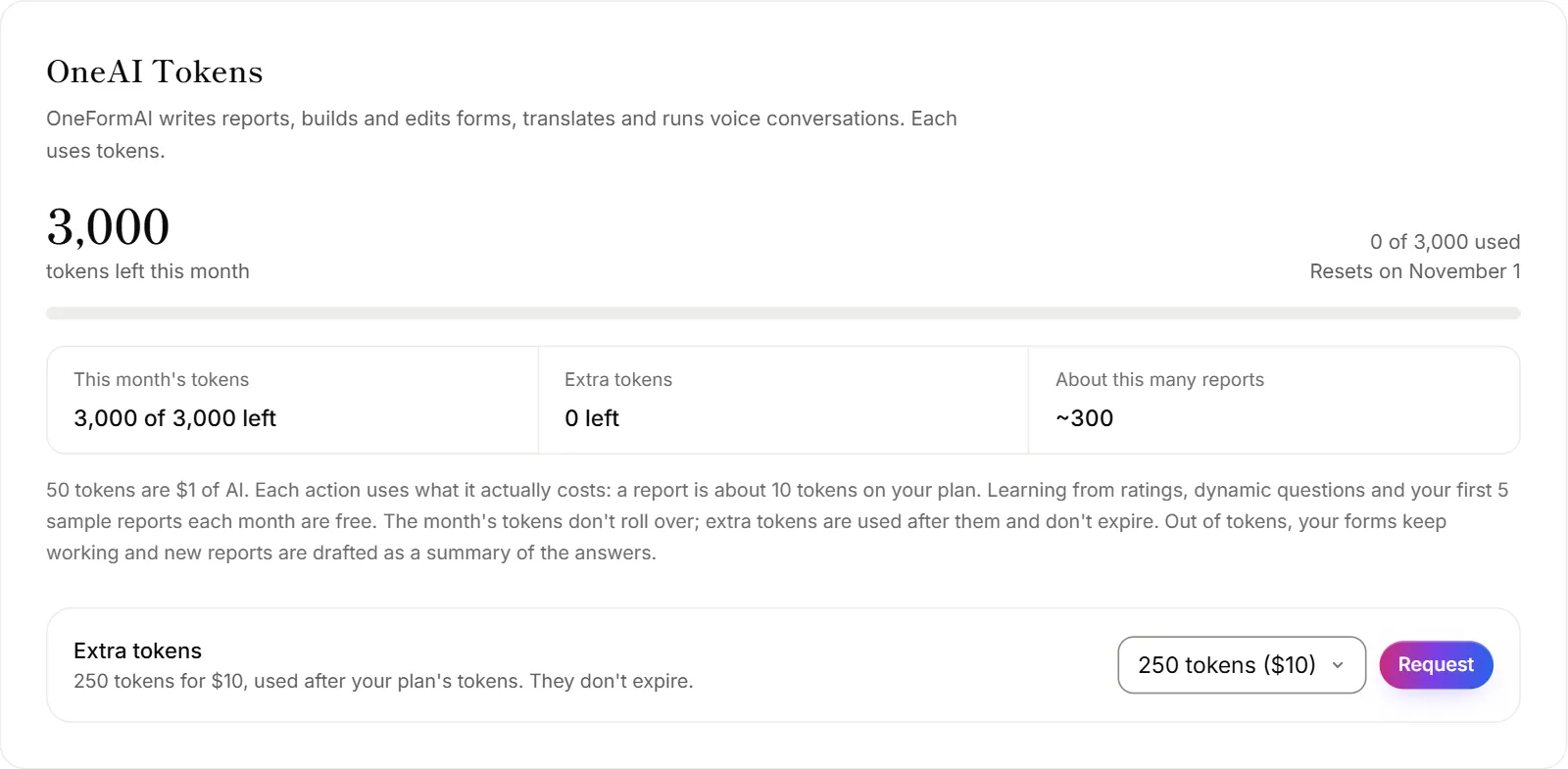
When tokens reset
Your plan's tokens reset on the 1st of each month (midnight UTC). Tokens you didn't use don't roll over.
Extra tokens work differently. They're used only after this month's tokens run out, and they don't expire.
Buy extra tokens
Only the firm's owner can buy tokens.
- Go to Billing.
- In the OneAI Tokens card, under Extra tokens, choose how many.
- Click Buy.
- Pay by card at checkout. Payments go through Stripe.
The tokens are added as soon as the payment goes through. The pack sizes and prices are on the pricing page. For more tokens every month, move to a bigger plan instead. See Plans explained.
When tokens run low or run out
- Running low: your alert list gets an email when most of this month's tokens are used. The tokens pill turns orange.
- Run out: your alert list gets another email, and the pill says AI paused.
When you're out, your forms keep working and clients can still submit them. New reports are drafted as a plain summary of the answers instead of by OneFormAI. Building forms with AI and other AI features pause until you add tokens, upgrade, or the month resets.
Once you have tokens again, you can open a summary draft on the Review page and click Re-draft with OneFormAI. See OneAI Tokens and reports.
Why do my tokens say "Unlimited"?
Your firm has no monthly token limit. You still see how many tokens you used this month on Billing.
Why don't I see the Buy button?
Only the firm's owner can buy tokens. Ask your owner, or ask them to make you an owner. See Roles and permissions.