By default, client emails come from a OneForm address with your sender name on them. You can send them from your own domain instead, so clients see an address like hello@mail.yourfirm.com.
Before you start
- Sending from your own domain depends on your plan.
- You'll need to add DNS records where your domain is managed: where you bought it, or your web host. If someone else looks after your website or IT, ask them to help.
- Pick a subdomain you don't already send email from, like mail.yourfirm.com. Using a subdomain keeps your main domain's email reputation separate.
Add your domain
- Go to Firm → Settings and scroll to Sending domain.
- In Subdomain, type it, for example
mail.yourfirm.com. - In From address, type the part before the @, like
helloorreports. - Click Add domain.
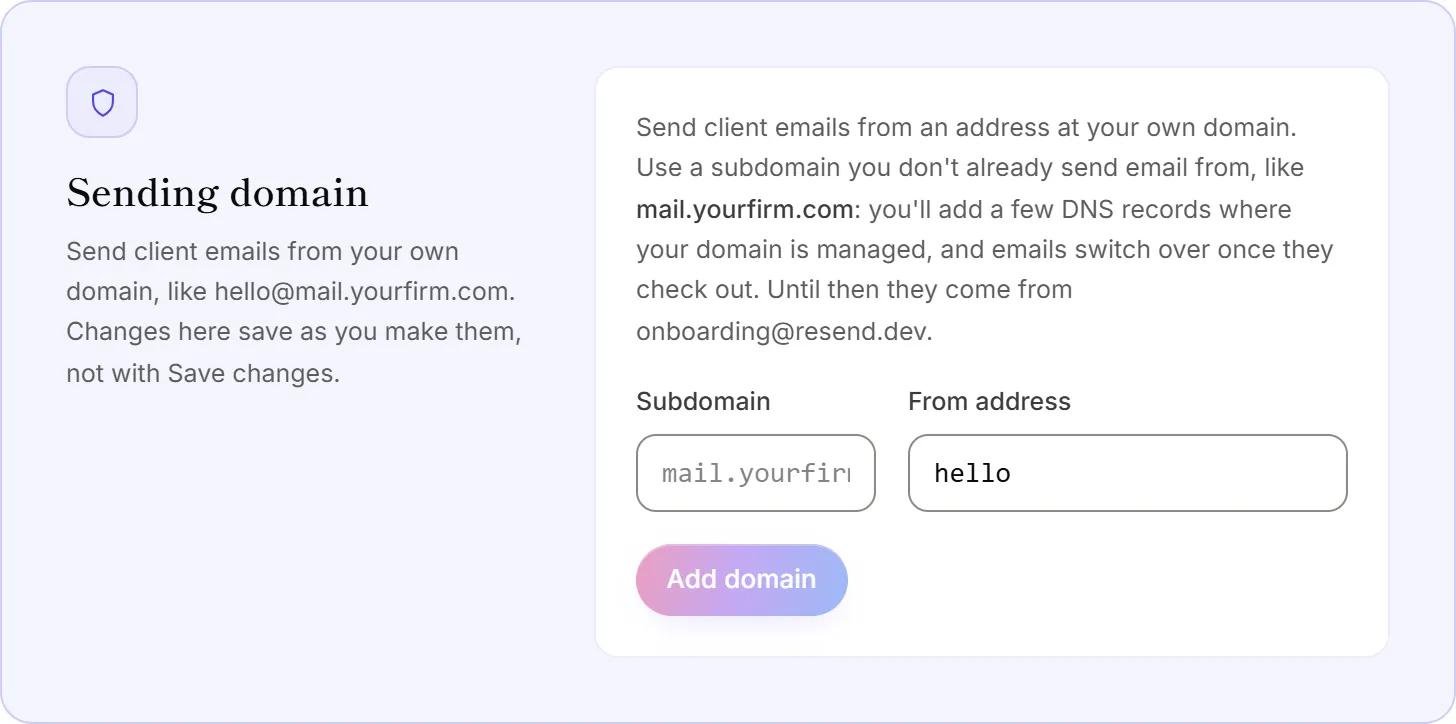
OneForm shows the DNS records to add. Changes in this section save as you make them: you don't need to click Save changes.
Add the DNS records
- Sign in where your domain's DNS is managed.
- For each record OneForm lists, add a record of the type shown, and copy its Name and Value exactly.
- Leave the TTL on its default.
- Back in OneForm, click Check now.
Names are relative to your domain: most DNS hosts add the rest themselves. If you use Cloudflare, turn the proxy off for these records.
Wait for verification
Each record shows Found, Waiting or Not found. It usually takes minutes, sometimes a few hours. OneForm keeps checking for three days, and switches your client emails to the new address as soon as the domain shows Verified. Until then, emails keep coming from OneForm's address, so nothing breaks while you set it up.
Change or remove it
- Change the From address: edit the part before the @ and click Save address.
- Remove the domain: click Remove domain and confirm. Client emails go back to OneForm's address straight away. To use the domain again, you'd add it and its DNS records again.
Good to know
- Only client emails use your domain. Team alerts still come from OneForm.
- Your sender name and reply-to stay the same. See Set your sender name and reply-to address.
- If your plan changes to one without your own domain, emails go back to OneForm's address. The page shows the date the domain will be removed unless your plan includes it again.
Why won't OneForm accept my domain?
- It's your main domain. Use a subdomain, like mail.yourfirm.com.
- It's an email provider's domain, like gmail.com or outlook.com. Use a domain your firm owns.
- It has a typo, or isn't a real public domain. The message under the box says what's wrong.
Why does it say "Some records not found"?
At least one record doesn't match yet. Check each one is spelled exactly as shown, with no extra spaces, and that your DNS host didn't add your domain to the end of the name twice. Then click Check now. If you just added them, give it a few hours.