Any call clients book through OneForm can be free or paid. With a price, the client pays by card when they book. Their time is held while they pay and confirmed once the payment goes through.
Before you start
- Connect Stripe. An owner does this once. See Connect Stripe. You can set a price before that, but nobody can pay to confirm until Stripe is ready.
- You need to be an owner or admin to change a booking page or a form.
Charge for a booking page
- Go to Bookings → Booking pages.
- On the page's card, click Settings.
- Click the Price step and choose Paid.
- Enter the price and pick the currency.
- Click Save changes.
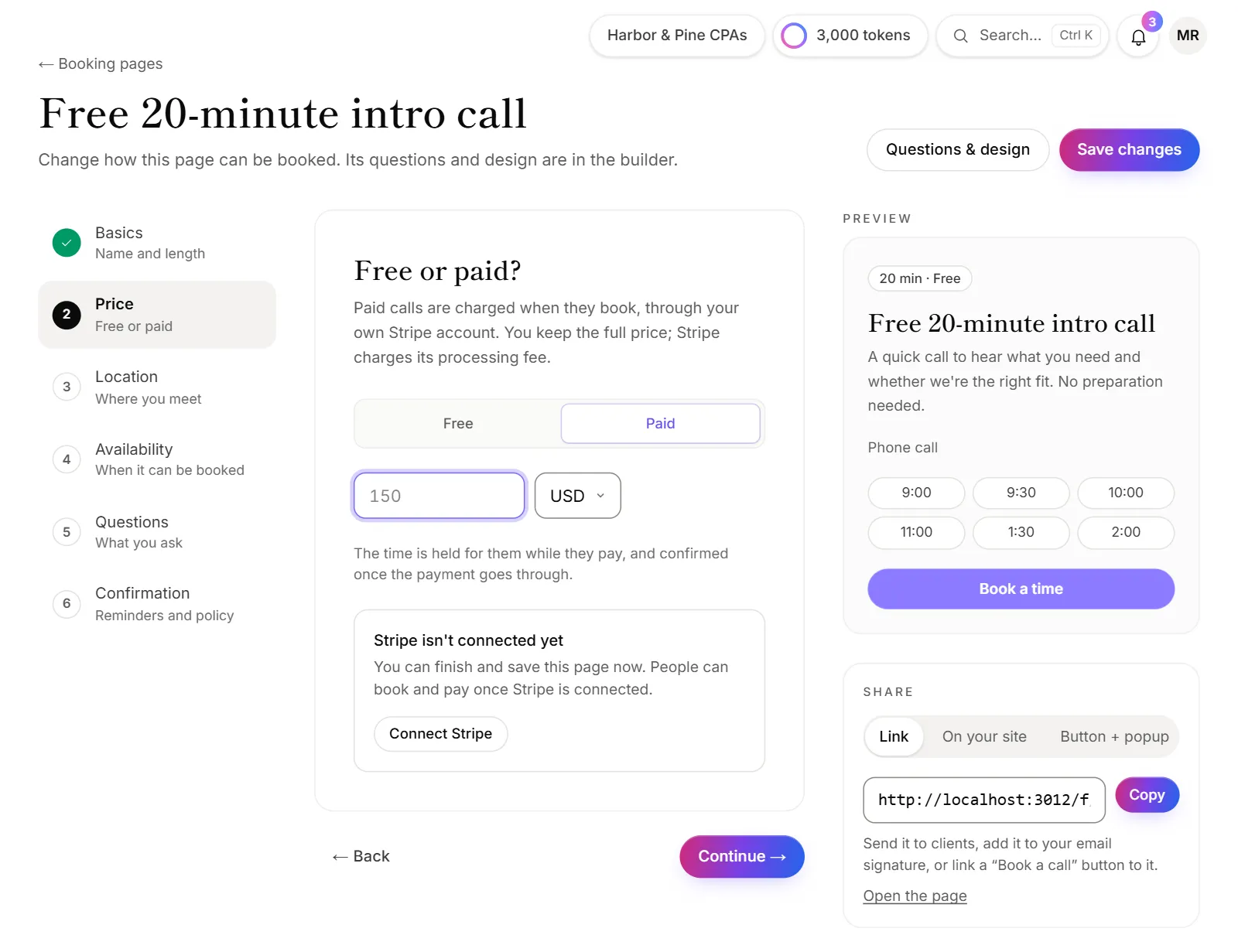
When you make a new booking page, the same Price step is the second step of the wizard. See Create a booking page.
Charge for a call after a form
- Open the form and go to the Settings tab.
- In the Consultation card, switch on Charge for the call.
- Enter the price and pick the currency.
The form saves as you go. See Offer a call after a form to set up the call itself.
What the client sees
- They pick a time. The button says Pay & confirm with the price.
- Their time is held, and they pay on Stripe's secure page.
- Once it's paid, the call is booked. They get a confirmation email with a calendar invitation.
If they don't pay in time, the hold is released and nothing is charged. Their page says "That time was released", with a button to pick another time.
Good to know
- How long the time is held is set under Hold a paid time while they pay in Bookings → Settings. Nobody else can take it meanwhile.
- Refunds when they cancel: A paid call is refunded when cancelled in Bookings → Settings sets how early they must cancel to get their money back automatically. Each booking page can set its own under Refund when they cancel. See Reminders, cancellations and rescheduling.
- When you cancel a paid call yourself, you choose whether to refund it. See Manage your bookings.
- Paid calls show in Payments → Orders as Consultation. Filter by Calls to see only them.
- You keep the full price, minus Stripe's processing fee. OneForm takes nothing.
- If you also use another booking tool, such as Calendly, that tool takes its own payments. See Use another booking tool.
Why can't clients pay for a call?
- Stripe isn't ready. Booking pages shows "A paid page is live but Stripe isn't ready to take payments, so people can't pay to confirm." An owner finishes connecting on Payments. Your team also gets an email called "A client couldn't pay" when someone tries.
- The price is too low. Below the minimum, the wizard says "A paid call costs at least…" and won't save it.