Any form can end with a call. When people submit it, the thank-you screen shows your open times and they book right there. The call uses OneForm's scheduler, so it goes on your calendar with invitations and reminders.
It takes two parts: set up the call in the form's Settings tab, then add it to a thank-you screen.
Set up the call
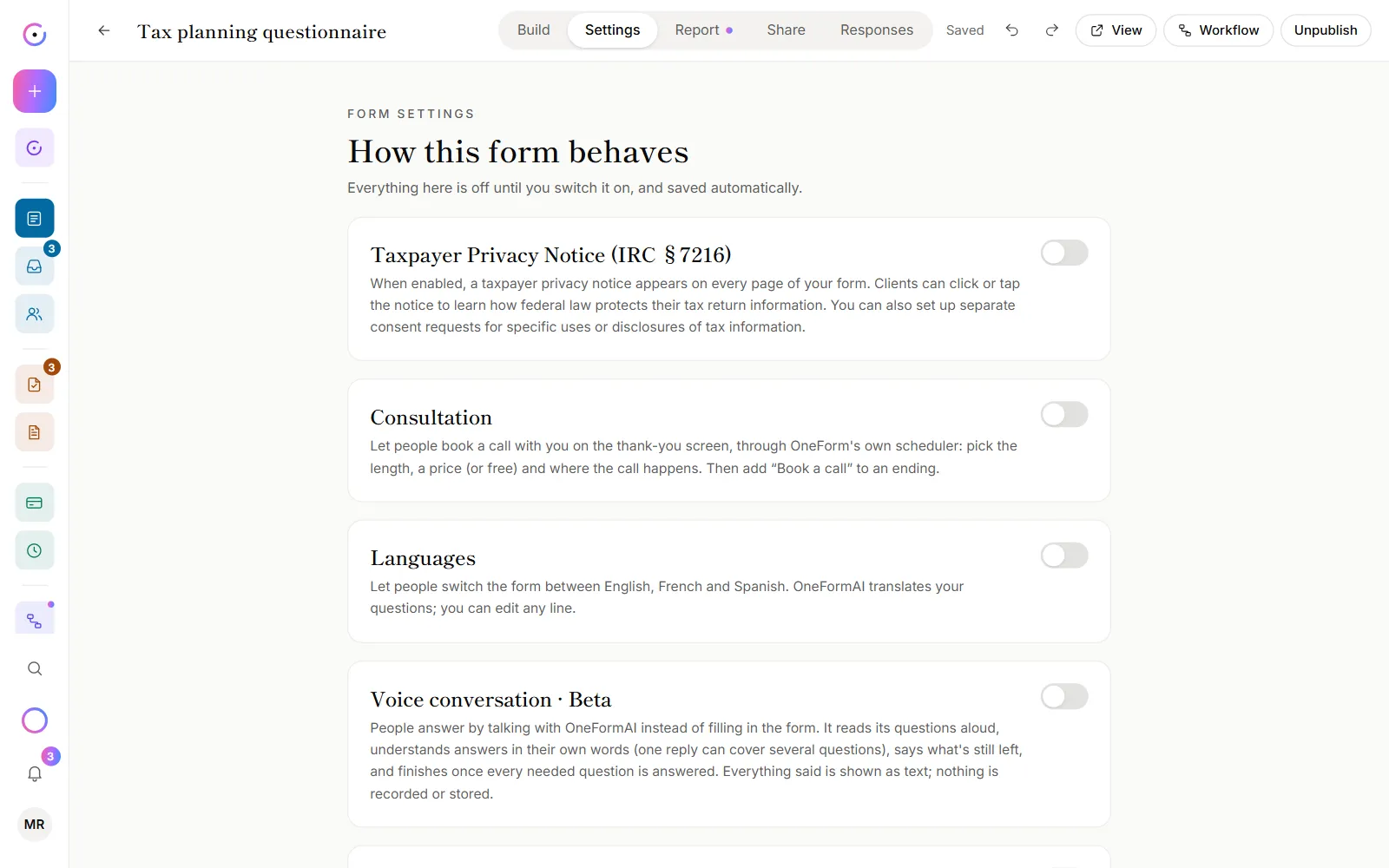
- Open the form and go to the Settings tab.
- Switch on Consultation.
- Fill in What it's called and the Length. Add A line about it if you like.
- To charge for it, switch on Charge for the call and enter the price. See Charge for a call.
- Under Where the call happens, pick the place. Greyed-out video tools need their account connected first.
Add it to the thank-you screen
- Go to the Build tab.
- Under Endings, click Thank-you screen.
- Under Book a call, switch on Let people book a call here.
- Choose OneForm's scheduler.
The form saves as you go. Times come from Bookings → Availability.
Offer it only to good fits
Use a second ending that only some people reach, and put the call there.
- On the Build tab, next to Endings, click Add.
- Under Show this ending when, set the rule, for example an answer or a score.
- Under Book a call, switch on Let people book a call here and choose OneForm's scheduler.
- Leave the call off the default Thank-you screen.
Endings are checked from the top. People who match no rule see the default thank-you screen. See Logic and branching for rules and scores.
Good to know
- The form shows in Booking pages, under Forms that end with a call. Its bookings are in Bookings → Calendar.
- Clients don't type their name and email twice. When the form asks for them, the scheduler fills them in.
- Selling the report too? An ending can offer the paid report and a call. See Charge for a report.
- Use Calendly or another tool? Choose Another tool's page instead. See Use another booking tool.
Why isn't the call showing on my thank-you screen?
- The consultation is off. The ending says "Turn on the consultation in this form's Settings tab first; until then nothing is shown here."
- The person reached a different ending. Check which ending has Book a call switched on.
- Stripe isn't ready for a paid call. The builder shows "Connect Stripe so clients can pay" or "Finish setting up Stripe". An owner fixes it on Payments.
What does "Connect your calendar" mean on the form?
Without a connected calendar, clients can book over things already on your calendar, and calls won't show up on it. See Connect your calendar.