The fastest way to report a problem is from inside OneForm, on the page where it happened. Your account and firm come attached, and so can a screenshot and the details the team needs to fix it.
Send a bug report
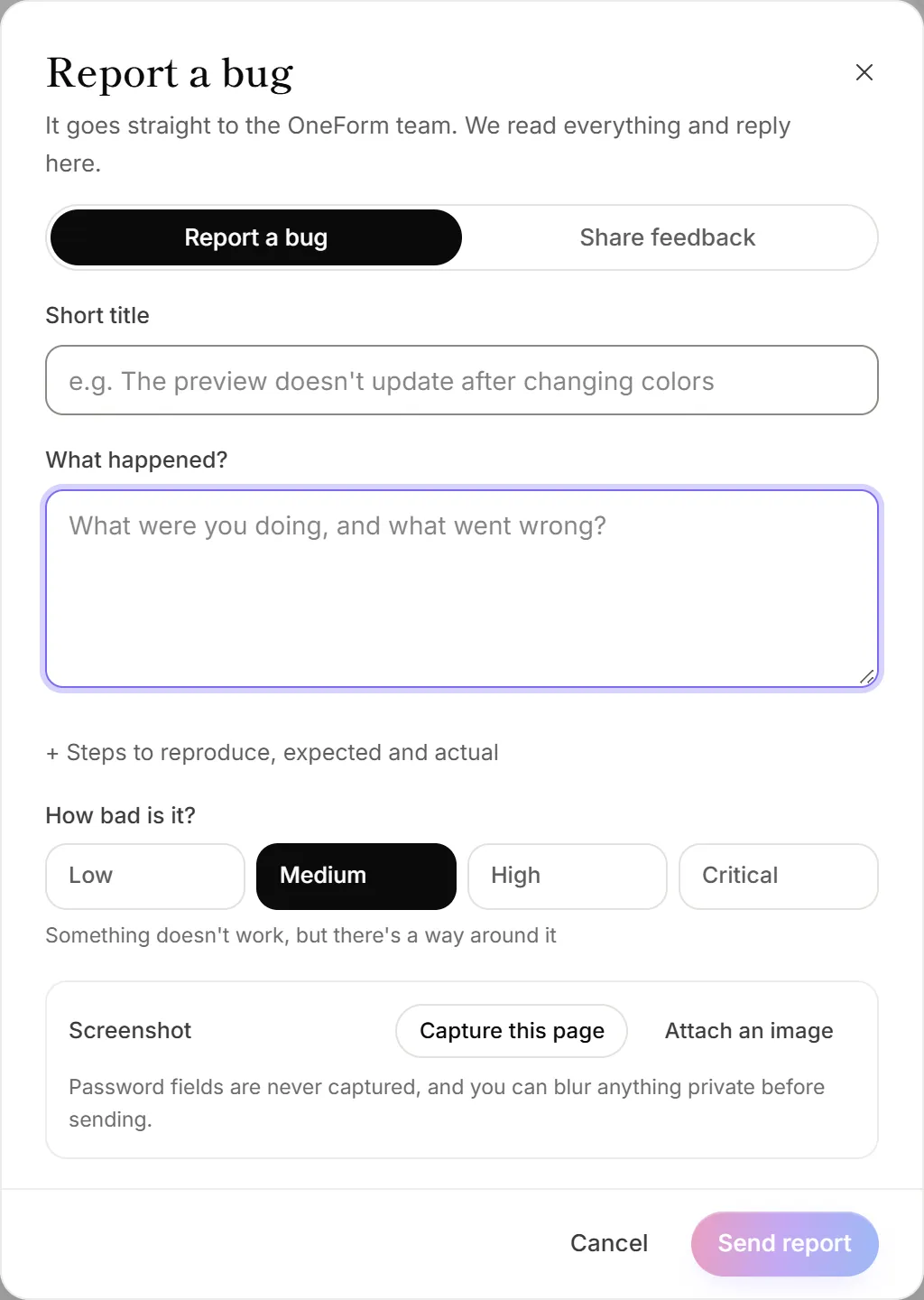
- On the page with the problem, click Send feedback at the bottom of the sidebar. On a phone, it's in the More menu. You can also press ⌘ K (or Ctrl K) and type "feedback".
- Make sure Report a bug is selected at the top.
- Give it a Short title, and say What happened?
- Optional: click + Steps to reproduce, expected and actual to add more detail.
- Under How bad is it?, pick Low, Medium, High or Critical.
- Add a screenshot (see below).
- Click Send report.
You'll see Bug report # with its number. Click Follow it to open the conversation, or Done to close the sheet.
Add a screenshot
- Capture this page takes a picture of what's on your screen, behind the sheet.
- Attach an image adds a PNG, JPEG or WebP you already have.
Either way, you can mark it up before sending:
- Choose Box to draw around the problem, or Pen to draw freehand.
- Choose Blur and drag over anything private, such as names, amounts or emails.
- Click Undo to take back a mark, then Use this screenshot.
Password fields are never captured. Still, blur any client details before you send a screenshot.
What's attached for you
Include technical details that help us fix it is ticked unless you untick it. Click see what's included to check the details first. They are:
- the page you're on, your browser, screen size, language and time zone;
- recent errors from the page, and requests to OneForm that failed;
- links to matching errors in OneForm's own error log.
Your account and firm are always attached, so you don't have to say who you are.
After you send it
The team replies in the app and by email. All your reports and their replies are on Ideas & feedback → Your feedback & bugs. Open one to read replies or add more. You can also get there from the menu under your name: Help & feedback → My bug reports.
Good to know
- Ideas and praise go under the Share feedback tab in the same sheet. To let others vote on an idea, post it as a feature request on Ideas & feedback instead.
- Can't sign in? You can't use Send feedback while signed out. Use oneform.si/support instead.
- Don't send passwords or clients' tax details in a report.
Why does it say "Couldn't take a screenshot here"?
Some pages can't be captured. Take a screenshot with your computer or phone instead, then use Attach an image.