You can delete a single response, such as a test or a spam submission. When a client asks what you hold about them, or asks you to delete it, the Leads page gathers everything about that person in one place.
Delete one response
- Go to Responses and open the response.
- Click Delete.
- Confirm with Delete.
The response and any report drafted from it are deleted for good. Emails already sent stay sent.
Give a client a copy of their data
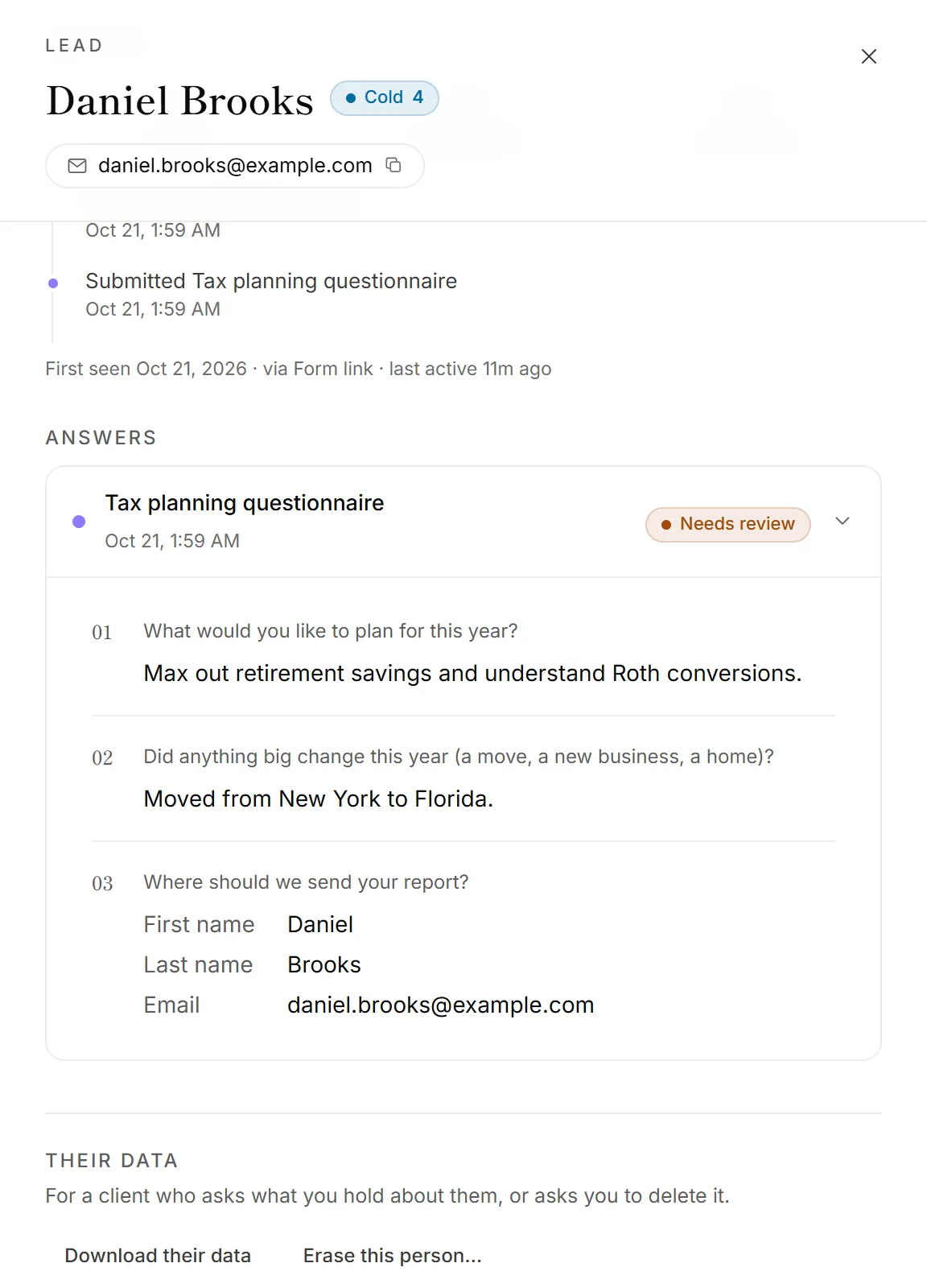
- Go to Leads and open the person.
- Scroll to Their data.
- Click Download their data.
You get one file with everything your firm holds about them: their responses and answers, reports, the emails you sent them, bookings, payments, unfinished answers and any taxpayer consent they gave.
Erase a client
- Go to Leads and open the person.
- Scroll to Their data and click Erase this person….
- Read what will be deleted, then click Erase for good.
This deletes their responses, the reports drafted from them, the emails you sent them, their bookings, their form visits and any unfinished answers. It can't be undone.
Good to know
- Payments stay. Orders are your financial records, so they're kept with the client's name and email removed.
- Unsubscribes stay too. If they asked you to stop emailing them, that still holds after they're erased.
- Other apps keep their copy. Erasing someone in OneForm doesn't delete what was already sent to your CRM, a spreadsheet or another app. Delete them there as well.
- One person is one lead. Responses are matched by email address, else by phone number, so everything they sent with that email is found, however old. See Leads explained.
- It's recorded. The audit log notes that someone was erased and how much was deleted, but not who they were.
- Delete old data automatically. To delete clients' data after a set number of years, see Delete client data automatically.
Why can't I erase someone?
- They have a call coming up. You'll see "They have a call coming up. Cancel it in Bookings first, then erase them." Cancel the booking so they hear about it, then erase them.
- You don't see Their data. Only admins and owners can download or erase a person's data.
- The Leads page asks you to upgrade. Leads aren't on your current plan. Delete their responses one by one on the Responses page instead.
- They aren't on the Leads page. Someone who left no email or phone number can't be matched as a person. Find their response on the Responses page and delete it there.