Email performance shows what happens after OneForm sends an email for you: whether it arrived, was opened and was clicked. It also shows how quickly your reports get from draft to client.
Open Email performance
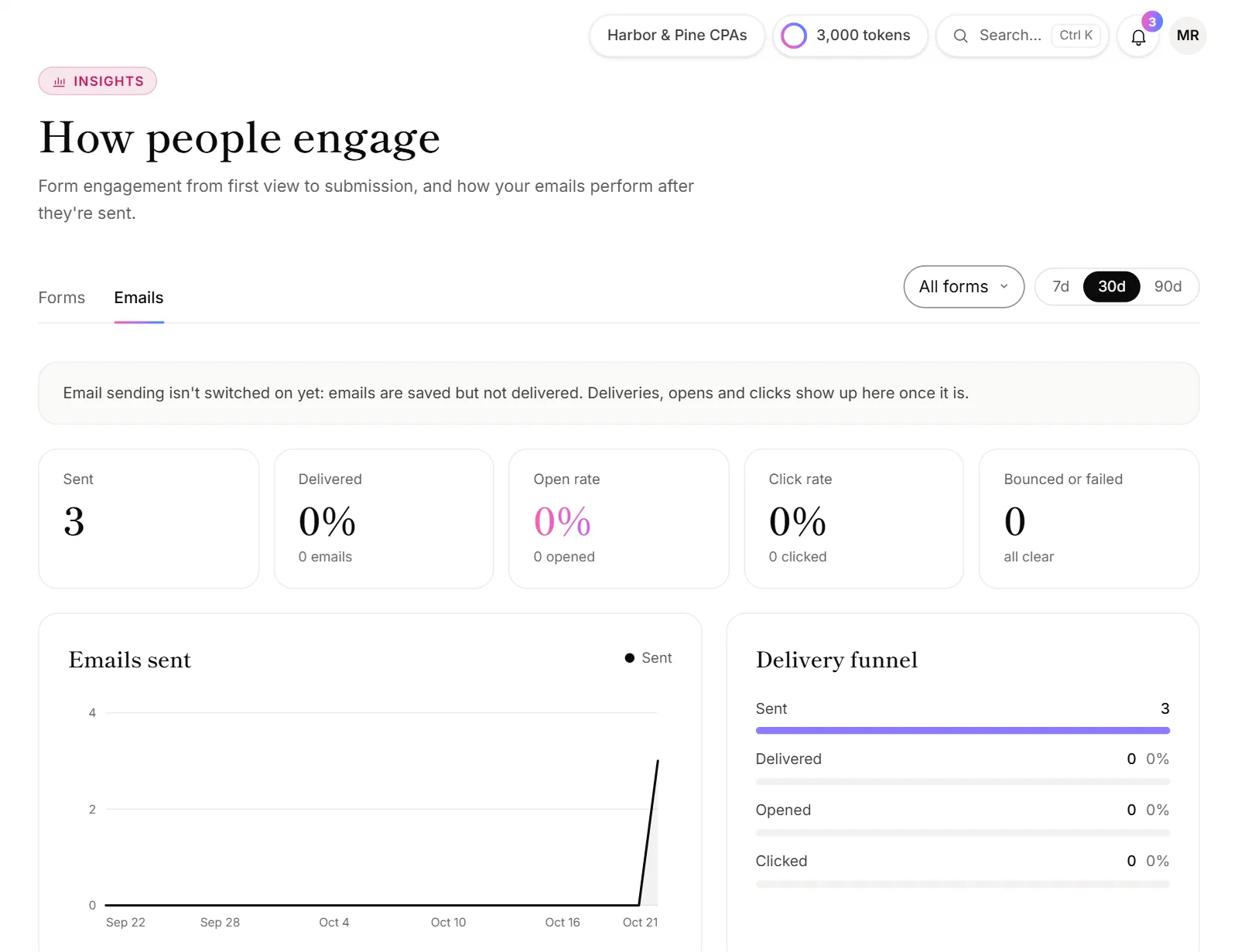
- Click Email performance in the menu, under Insights.
- Pick a time range: 7d, 30d or 90d.
- To see one form's emails, pick it in the form list at the top.
What you see
- Sent, Delivered, Open rate, Click rate and Bounced or failed, for the range you picked.
- Emails sent: a day-by-day chart.
- Delivery funnel: how many emails were sent, delivered, opened and clicked.
- Reports at a glance: Reports drafted, Sent to clients, Waiting on review and Median time to send, from draft to the client's inbox.
- By kind: report emails, confirmations, workflow emails, reminders, team alerts and more, each with its own open and click rates.
- Recent emails: the latest ones, with who they went to and their status: Delivered, Opened, Clicked, Bounced, Spam report or Failed. Click a report email's subject to open the report.
Check one client's emails
To see whether a particular client opened their report, open them on the Leads page. Their activity lists each email you sent them and when they opened it or clicked a link. See Leads explained.
Good to know
- Opens are a good sign, not proof. Some email apps open emails automatically to check them for safety, and some block the tracking that counts opens. Clicks are the surer sign someone read it.
- Opens and clicks raise lead scores. Engaged clients rise on the Leads page.
- Every form's emails, or one. Picking a single form depends on your plan, as on the Engagement page.
What does Bounced mean?
The email couldn't be delivered, usually because the address is wrong or the mailbox is full. Spam report means the person marked it as spam. After a permanent bounce or a spam report, OneForm stops emailing that address, and their lead loses points under Red flags. Check the address with your client and correct it. See Unsubscribes and bounced emails.
Why is the open rate low?
- Some apps hide opens. Privacy features in some email apps stop opens from being counted. Look at the click rate as well.
- The email went to spam. Sending from your own domain helps your emails reach the inbox. See Send from your own domain.