OneForm's templates are tax checkups written for accounting and CPA firms. Each one is a complete form: the questions, the logic that skips what doesn't apply, a welcome screen, and instructions for the report OneFormAI drafts from every response.
Use a template
- Click Create in the menu and choose From a template. You can also click New form on the Forms page and choose Start from a template.
- Filter by Business, Real estate or Personal, or leave All selected.
- Read the card: what the template asks, Creates: (the report the client gets) and how many questions it has.
- Click Use template.
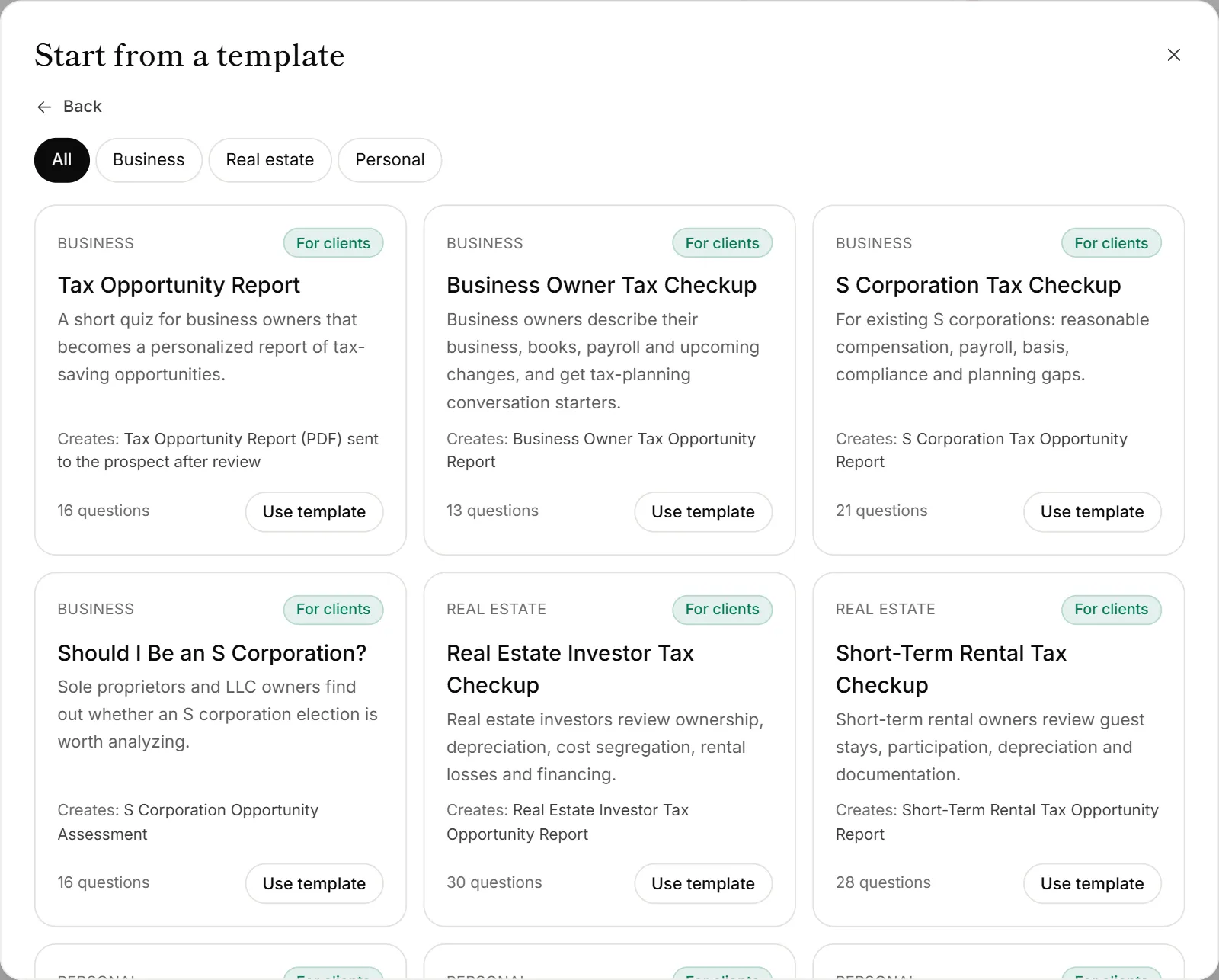
The new form opens in the builder as a draft. Change any question, then publish it when you're ready. See Publish a form.
The templates
| Template | For | Creates |
|---|---|---|
| Tax Opportunity Report | Business owners | A personalized report of tax-saving opportunities |
| Business Owner Tax Checkup | Business owners | Tax-planning conversation starters about their business, books and payroll |
| S Corporation Tax Checkup | Existing S corporations | A review of reasonable compensation, payroll, basis and compliance gaps |
| Should I Be an S Corporation? | Sole proprietors and LLC owners | Whether an S corporation election is worth analyzing |
| Real Estate Investor Tax Checkup | Real estate investors | Ownership, depreciation, cost segregation, rental losses and financing |
| Short-Term Rental Tax Checkup | Short-term rental owners | Guest stays, participation, depreciation and records |
| Year-End Tax Planning Checkup | Individuals, before December | A prioritized year-end action plan |
| Retirement & Roth Tax Checkup | Individuals | Retirement accounts, Roth conversions, contributions and distributions |
| Investment & Capital Gains Tax Checkup | Investors | Capital gains, loss carryforwards, stock compensation and giving |
| Family, Children & Education Tax Checkup | Families | Paying your kids, education savings, gifting and wealth transfer |
Every template sends its report to the client after you review it.
Good to know
- Templates have reports turned on. Open the form's Report tab to read or change the instructions OneFormAI follows. See Set up a report on a form.
- Your firm's design is used. If your firm has a design preset set for new forms, the template starts in that design. See Brand your forms.
- Templates don't use OneAI Tokens to create. Tokens are used later, when reports are drafted from responses.
- Want something else? Describe it and let OneFormAI build it instead. See Create a form with AI. Or choose Blank form to start from scratch.
- Templates aren't the same as sample forms. Sample forms show off what OneForm can do. See Sample forms.
Why don't I see a template's logo or booking link?
Templates leave out firm-specific details. Add your logo in Settings and turn on Show the firm logo on the welcome screen. Add a call at the end on the thank-you screen. See Welcome and thank-you screens.