Each form has a Settings tab for how it behaves. Everything there is off until you switch it on, and saves on its own. Open a form in the builder and click Settings at the top.
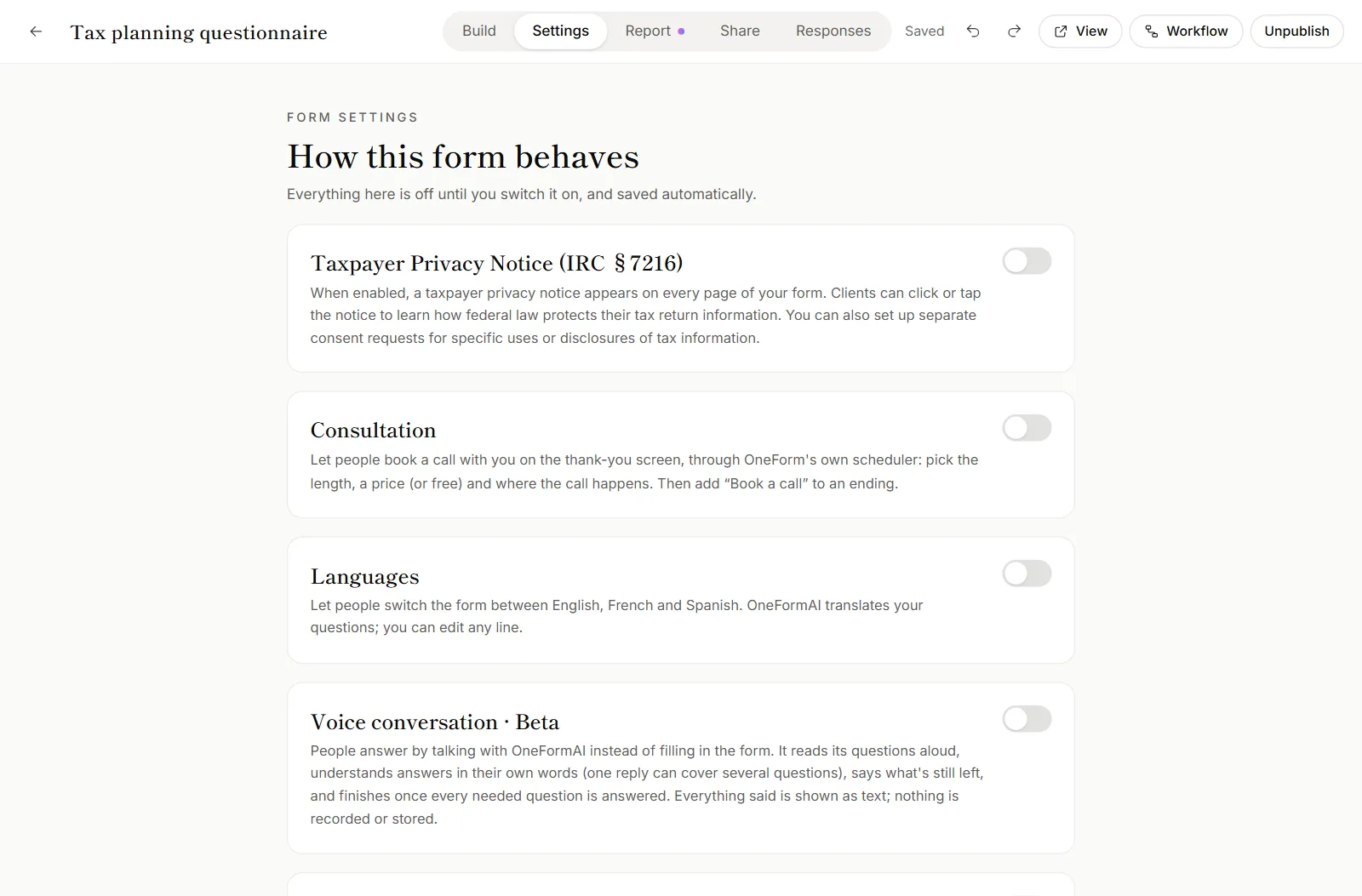
The settings
| Setting | What it does | More |
|---|---|---|
| Taxpayer Privacy Notice (IRC §7216) | Shows a privacy notice on the form and asks clients for the consents you choose before they submit. | Taxpayer privacy notice and consent |
| Consultation | Lets clients book a call with you on the thank-you screen, through OneForm's own scheduler. Set the call's name, Length, price and Where the call happens. | Offer a call after a form |
| Languages | Lets clients switch the form between English, French and Spanish. | Forms in other languages |
| Voice conversation · Beta | Lets clients answer by talking with OneFormAI. | How voice forms work |
| Personalize with names | Greets clients by their first name once they've given it. | Personalize questions with answers |
| Dynamic form | OneFormAI picks the most useful next question for each client, up to a limit. | Dynamic forms |
| Question numbers | Shows a number next to each question. | |
| Hidden fields | Details that arrive with the form's link, like a client number or campaign name. | Pass details into a form with hidden fields |
| Scores | Numbers that add up as clients answer. | Logic and branching |
Add a hidden field
- Under Hidden fields, click Add hidden field.
- Type its name, such as
client_id. Use letters, numbers, dashes and underscores. - Optional: add a Label so it's easy to recognize.
- Add it to the end of the form's link:
?client_id=123.
Use it in logic, in your wording (with Insert answer) and in the report. Ad campaign tags (UTM) are always kept, without adding them here.
Add a score
- Under Scores, click Add score.
- Name it, add a label, and set the number it starts at.
- Give answers points in each question's Logic tab.
Good to know
- Voice conversation depends on your plan. Without voice forms on your plan, a lock above the card says which plan has them. See Plans explained.
- Voice-first forms hide Personalize with names, Dynamic form and Question numbers. The conversation always greets people by name and asks in order.
- Other settings live elsewhere. The report is in the Report tab. The link and website code are in the Share tab. What happens after each response, like emails and unfinished-form reminders, is in the form's Workflow. See Follow up on unfinished forms.
- There's no closing date or response cap per form. To stop taking responses, unpublish the form. See Publish a form.
Why can't I turn on Voice conversation?
Your plan doesn't include voice forms. The note above the card names the plan that does. Click See plans to compare. Until then, clients get the typed form.
Why does renaming a score show an error?
Another score already has that name. Renaming one onto another would merge them, so pick a different name.