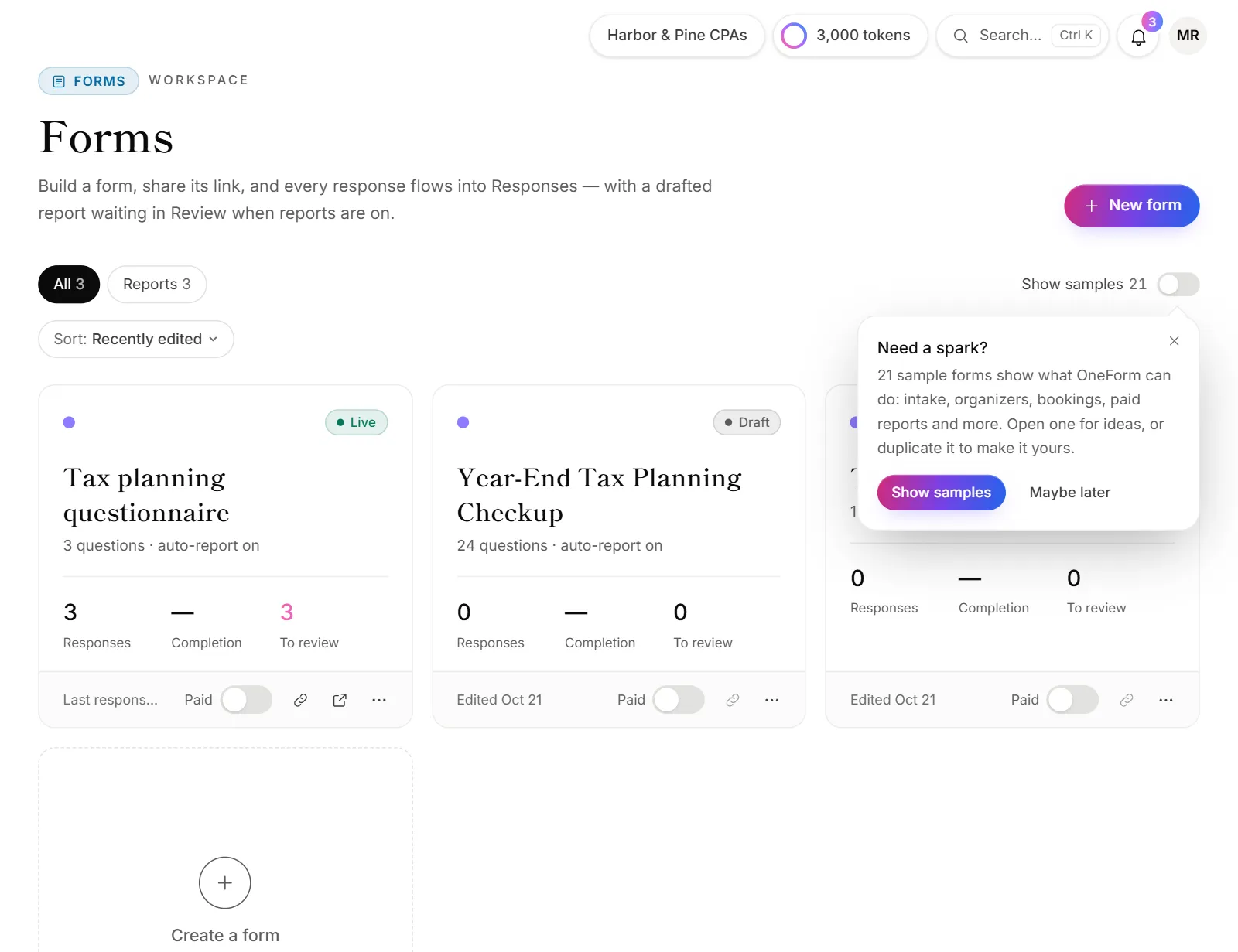
From the Forms page you can copy a form to start a new one, or delete one you no longer need. OneForm has no archive: to take a form offline but keep everything, unpublish it.
Duplicate a form
- Go to Forms.
- On the form's card, open the ⋯ menu (More).
- Choose Duplicate.
The copy opens in the builder, named after the original with "(copy)" at the end. It's a Draft with its own link. It has the same questions, logic, screens, design, settings and report instructions. Responses aren't copied.
Rename it by clicking the title at the top of the builder.
Take a form offline but keep it
- Open the form in the builder.
- Click Unpublish.
The link stops taking responses, and everything you collected stays. Once you have several forms, the search box and the Live and Drafts filters on the Forms page keep your list tidy. See Publish a form.
Delete a form
Deleting a form also deletes all of its responses and their reports. This can't be undone.
- Go to Forms.
- Optional: download the responses first. Open the form's ⋯ menu and choose Download responses (spreadsheet).
- Open the ⋯ menu again and choose Delete.
- OneForm asks you to confirm and says how many responses go with it. Click Delete.
Remove the sample forms
OneForm's sample forms are hidden unless Show samples is on. To remove them for good:
- On the Forms page, turn on Show samples.
- Click the Samples filter.
- Click Remove all samples and confirm.
Their sample responses go too. You can add them back later. See Sample forms.
Good to know
- Duplicating doesn't count toward your live forms until you publish the copy.
- Copy a sample to make it yours. Duplicate a sample form, then edit the copy.
- Duplicate a single question in the builder instead: open its ⋯ menu in the question list and choose Duplicate.
- Only owners and admins can duplicate and delete forms.
Why couldn't I delete or duplicate a form?
- Your role doesn't allow it. Reviewers and viewers can't change forms. Ask an owner or admin. See Roles and permissions.
- "Couldn't delete the form. Please try again." The connection dropped. Reload the page and try again.