Connect your Outlook calendar so clients can only book times you're free, and booked calls land on your calendar. Calls set to Microsoft Teams get a Teams meeting of their own.
Before you start
Outlook.com and Microsoft 365 work or school accounts can both connect a calendar. Teams meeting links need a work or school account.
Connect Outlook Calendar
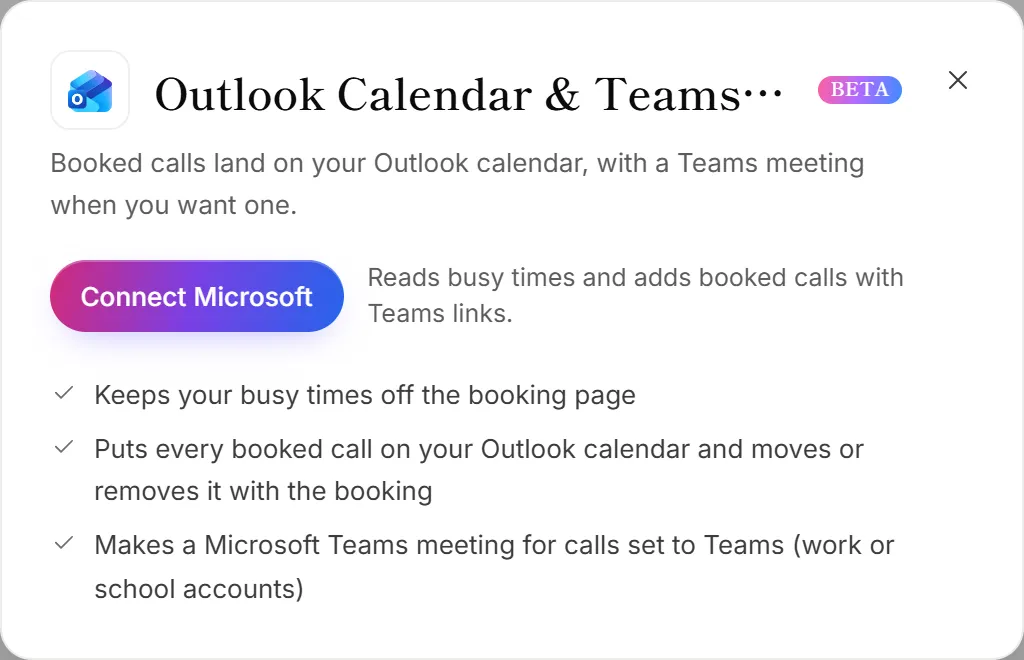
- Go to Integrations. The Outlook Calendar & Teams meetings panel opens.
- Click Connect Microsoft.
- Sign in with your Microsoft account and accept the calendar permission Microsoft shows.
- You're back in OneForm, and the Microsoft account is connected.
The first calendar you connect becomes your bookings calendar: OneForm checks it for busy times and adds booked calls to it. If your Microsoft account is already connected for something else, click Allow next to Outlook Calendar & Teams meetings on its card instead.
You can also connect from Bookings → Integrations, where you choose which calendar gets booked calls and which others to check for conflicts. See Connect your calendar.
What OneForm can do in your calendar
- See when you're busy, so booked times never clash.
- Add, move and remove events for calls booked through OneForm.
- Add a Teams meeting to calls set to Microsoft Teams.
The Outlook Calendar permission doesn't let OneForm read your email or post in Teams channels. Those are separate permissions, asked for only if you use Outlook mail or Teams channels. The access is stored encrypted.
Disconnect Outlook Calendar
On the Integrations page, click Manage on the Microsoft 365 card, then Disconnect. Your booking pages stop checking that calendar, and new calls don't go on it. This removes the whole Microsoft account, so Excel, OneDrive, Outlook mail and Teams stop working for it too. To also remove OneForm from your Microsoft account, go to myapps.microsoft.com.
Good to know
- Choosing Teams for a booking page is covered in Add video meetings.
- No calendar? Calls still reach you by email with a calendar invitation.
Why does it say "Calendar access not allowed yet"?
The Microsoft account is connected for something else, like Excel, but not for the calendar. On Bookings → Integrations, click Allow access and accept the calendar permission.
Why didn't my call get a Teams link?
- It's a personal account. Teams meetings need a work or school Microsoft 365 account. A personal Outlook.com account can't make them.
- The call isn't set to Teams. Check the booking page's video setting. See Add video meetings.
- Microsoft access was removed or expired. The Microsoft 365 card moves to Needs attention; click Reconnect.